Stock 280z in Oklahoma - Internet Finds - Classic Z Car Club Skip to content
Be cautious of scammers! If you are asked to send Zelle, Paypal, or even gift cards it is likely a scam. Be smart and talk on the phone and trade real photos. Check every profile and never do business with a member who joined less than 6 months ago.

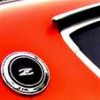
Stock 280z in Oklahoma

Featured Replies

Looks like one of the first 280Z. I'm not 100% sure, but the afm looks very much like the Bosch unit Datsun used in the first months of production. Bosch p/n: 0 280 202 001 (A31 000 050)

Must be pre May 75. In May they changed to the Jecs units.

Nothing like this ever comes up for sale in Canada... I'd buy it in a heartbeat.

S
Sponsored
Advertisement
Go Ad-Free
No ad showing? Ads help support ClassicZcars. If you use an ad blocker, please consider allowing ads on this site or Go Ad-Free.

 It may be the bargain of the year. I can only drool when I think of buying a complete 280 for that price that seemingly needs little work.

Just now, Mark Maras said:

 It may be the bargain of the year. I can only drool when I think of buying a complete 280 for that price that seemingly needs little work.

Go Mark,    GO!  ...

Jai   :victorious:

  • Author

It is my favorite color!    Cliff's tough to out do, (especially in beverages per hour)  but I'm tied with him with the silver 240,  this would put me over the top.

My beloved 280 got lots of love at the local car show last weekend, Zup's beautiful car also took home a trophy.   A great day for Datsun's in NW Arkansas!

PG car show 17.jpg

Three was too many for me.  Move the trickle charger around from one to the other, that's all I did. :facepalm:

I'm wanting another boat now...

Image result for hydrostream

Quote

I'm wanting another boat now...

If Irma moves a little further West you'll need it!  :o

Create an account or sign in to comment

Account

Navigation

Search

Search

Configure browser push notifications

Chrome (Android)
  1. Tap the lock icon next to the address bar.
  2. Tap Permissions → Notifications.
  3. Adjust your preference.
Chrome (Desktop)
  1. Click the padlock icon in the address bar.
  2. Select Site settings.
  3. Find Notifications and adjust your preference.