Everything posted by Mike
-
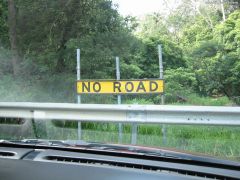 Pretty obvious. Cracks me up.
 -
 Burger King Australian Style
 -
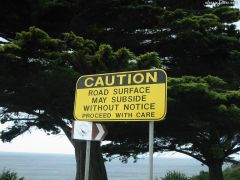 Here's a picture of a sign I took while traveling in Australia. This one left me guessing... if it will subside without notice, how do you proceed with care?
 -
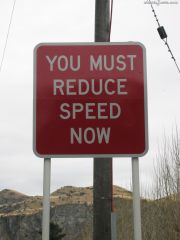 Interesting sign a friend sent to me. I'd say it's to the point..... No guessing with this one.
 -
Damn, that's a pretty awesome logo. I want something like that for the club!
-
You'll get more comments if you post the picts in our gallery ..
-
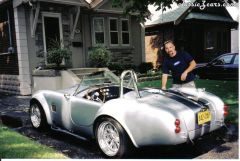 That car rocks... fun !
 -
-
NO!! It is NOT ok for people to make contact to sell goods via PM. Who is it?
-
Hmm, did you do a search on the site for wheel offset? You might want to check to see if there were other conversations about this subject. I know there were a bunch a few years ago, but, not sure if it's relevant to your wheels or not...
-
Points are horrible. They are always pitting and bouncing unevenly off the cam at high RPM. Similar to the covered wagon, they were a good idea at the time. You can buy the whole get-up at Motorsport. FYI, they also sell a drop-in electronic pick up system that will replace the points. But, I'm not sure if you're at that stage just yet. Start with the new points and then work your way up the ladder later.
-
Ok, got it all working... CAR PHOTOS UPLOADED. Gallery is working, image attachments are working.............. YAHOO!
-
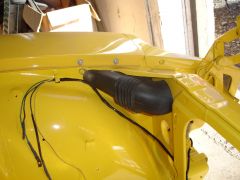
From the album: 1971 240z Jedi
Front vent and wiring ready for the engine. -
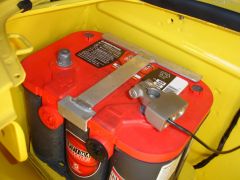
From the album: 1971 240z Jedi
This is a custom bracket made to fit the smaller size of the Optima cel battery. -
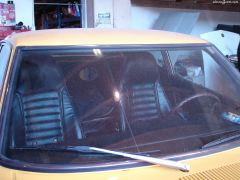
From the album: 1971 240z Jedi
The front windshield, and all the dust -
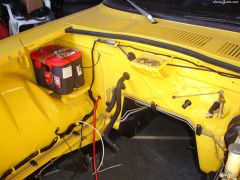
From the album: 1971 240z Jedi
Mike's Z Progress -
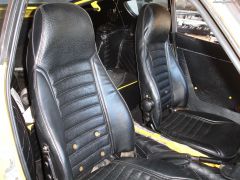
From the album: 1971 240z Jedi
Mike's Z Progress -
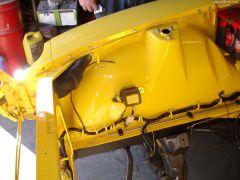
From the album: 1971 240z Jedi
Mike's Z Progress -
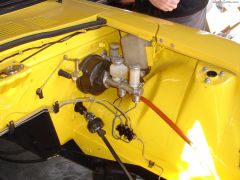
From the album: 1971 240z Jedi
Mike's Z Progress -
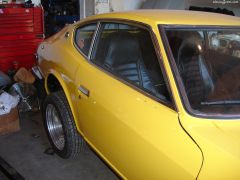
From the album: 1971 240z Jedi
Progress on the Z beast.. -
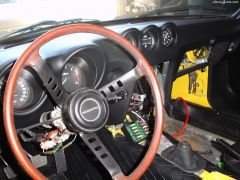
From the album: 1971 240z Jedi
Progress on the Z beast.. -
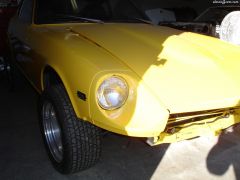
From the album: 1971 240z Jedi
Headlight buckets. Do they look like a different color of yellow to you? -
-
-
Only problem is that you need an original panel to cover... The hardened cardboard stuff is hard to find anymore.