HS30-H
Supporting Member
-
Joined
-
Last visited
Everything posted by HS30-H
-
To clarify the clarification: The mesh grill that gogriz91 has purchased is the same type as those fitted to the S30 ( 'Fairlady Z-L' ), S30-S ( 'Fairlady Z' ) and PS30 ( 'Fairlady Z432' ) from the start of production in 1969. All three models had the same size mesh gauge. It was the PS30-SB ( 'Fairlady Z432-R ) that had the different gauge mesh, and this part has been discontinued for more than 30 years now. No, it is a stock Nissan part - just like the originals were in 1969. To expand on this a little, Matsuo says it was the 'bean counters' who foisted the use of the mesh grilles on the home-market models due to cost cutting. However, this makes it sound as though the mesh grilles were created simply to cut costs - which was not the case..... In fact, the 432-R model was always going to have a mesh grille, as the slat-type grille would have laid its large oil cooler ( mounted in front of the radiator ) open to stone damage. The 'bean counters' pinched the low-cost mesh grille and imposed it on the other home-market models - but with a different mesh gauge. True story.
-
Lachlan, The Isuzu Bellett GTR ( with the G161W engine ) didn't debut until September 1969, a full six months after the PGC10 Skyline GT-R. I think you are possibly getting your GTs mixed up with your GT-Rs?
-
26th-Z, Have you any idea what Katayama meant exactly when he described the 'Datsun' name as having "purity"? I certainly don't see how the 'Datsun' brand lineage could be described as "pure"', especially if this is implying that the 'Nissan' company lineage was in some way 'impure'. Sounds to me more like Katayama politics than anything else. I'd be interested to hear otherwise.
-
What I find amazing about this auction is that the vendor has the balls to write this: "Up for auction is a very desirable 1972 Skyline GTR." The auction title also states: "1972 Nissan GTR". If that isn't the most blatant misrepresentation then I don't know what is. Only Nissan could make a GT-R. Nobody can take a GT-X, swap a few parts around and call the car a 'GT-R' - especially without the S20 engine. Shocking.
-
You are definitely on the wrong thread, d***. This is the 'Carl Beck Big-Ups His Dune Buggy' thread.........
-
I'm not happy to have that kind of sobriquet applied to me, even if it is meant kindly. It makes it look as though I might even believe it myself - which is for sure not the case. Of course there is an absolute wealth of things that most of us don't know about the history of these cars and the companies and individuals that made them. It is a great challenge, and any fresh information that we glean tends to open up the possibility of further questions we hadn't even thought of. And so it goes on...... But where the information is already at hand ( as in the case of the genesis of the Nissan 'L-gata' engine ) it would be nice if it was passed around properly and recorded correctly. But instead we have advertising copy and sales flannel taken as gospel. It is very frustrating. Unless you can type his full name into the Japanese search engines ( in Kanji or possibly Katakana ) you probably won't get much in the way of results. The World Wide Web is not necessarily the fount of all wisdom just yet....... Perhaps you shouldn't expect too much from it. You'll have to immerse yourself in some Japanese books and old magazine articles to satisfy some of your curiosity about the man. Alan T.
-
Agreed. The L-gata was a Nissan in-house design, and was not a direct relation to anything from Prince. The S20 was Nissan's development from the Prince GR8 ( not the G8 ). First the Prince GR8 was re-badged the 'Nissan GR8', and then the Nissan S20 engine was developed. The S20's DNA was from the GR8, but it was effectively a completely new design. To make a direct link between the S20 and the RB-series engines is a little misleading. There's a stepping stone between them, and that stepping stone was the FJ-series. The FJ was effectively a four-pot successor to the S20, and shared many design details. There are even some valvetrain components which are interchangeable. The RB-series was conceived as a practical successor to the L-series, and the RB26DETT ended up as a spiritual successor to the S20. There is a certain amount of 'what comes around goes around' in the story, as the Nissan L-series engine debuted with the L20 six in the H130-Series 'Cedric Special Six' - a top of the line Sedan. The RB-series engine debuted in the 1984 Laurel - also a top of the line sedan. Head of the design and development team for the RB-series engine was Mr Shinichiro Sakurai - the man ( sometimes known as 'Mr Skyline' in Japan ) who had overseen the motorsport activities of Prince, and who was the chief engineer overseeing the design and development of the GR8, S20 and FJ-series engines. That's quite a blood line. How often do we read and hear that the Nissan L-series engines originated with the L16 of the 510 Bluebird? It is an oft-repeated mistake, and has now become all but set in stone. Of course it is a completely FALSE story ( most likely originating in American advertising for the HLS30 ), as the 4-cylinder versions of the L-series engine came after that L20 six in the H130 'Cedric Special Six'. Designer / Chief Engineer of the L-series engine? Mr Hiroshi Iida. We really ought to remember his name and sing his praises more often than we do........ Alan T. ps - sakijo: Thanks for starting this thread.
-
Please don't take this personally, but I think your 'family tree' is dysfunctional...... It makes it look as though Nakajima ( note the spelling ) and Tachikawa came before most of the companies listed below them ( which is not the case ) and it also makes it look as though the Nissan Motor Co. Ltd. didn't exist until PMC was merged with it - which is also not the case. Please also note the spelling of 'Kaishinsha' ( it is not 'Kwaishinsha' ) and in fact it would be more accurate to split it into two words; 'Kai Shinsha'. And what's with the inclusion of 'Infiniti' ( it makes it look as though 'Infiniti' is a company all on its own, and is the result of all that went before it )? Like I said, please don't take it personally. I just think it is dangerous to make family trees like this when the story is a lot more complex and convoluted than such a graphic device can portray. Alan T.
-
John, I don't see any accurate information / history on Nissan's L-series engine on zhome.com..... Can you tell me whereabouts on the site it is located? I agree wholeheartedly, Victor. The whole thing smacks of received prejudice.
-
Yes thanks, and it worked just fine with RealPlayer when I right-clicked and 'saved as' from the streamload.com address too. Cheers, Alan T.
-
Come on Gav, you have to do better than that! We've covered this question many times in the past on this Forum...... There were '240Zs' fitted with rear anti-roll bars from the Factory, and there were lots of other S30-series Z cars ( Fairlady Z, Fairlady Z-L, Fairlady 240Z, Fairlady 240Z-L, Fairlady 240ZG, Fairlady Z432 & Z432-R for example ) that had them fitted from the Factory, or could specify them at time of order too. It was the USA market that was odd man out in this case.
-
Yes, its a 1 minute montage video with voiceover by Tony Mason. It first uses repeat clips of footage from the 1971 RAC Rally ( taken from the film "From Harrogate It Started" - which was funded by tobacco company W.D. & H.O. Wills ) but only shows the no.18 car of Tony Fall / Mike Wood and what happened to it. Unfortunately, the sound editing on the film was not much good and the engine noise is Escort rather than Z......... Then it uses clips of Nissan's footage from the 1972 East African Safari Rally, showing the cars of Aaltonen / Fall and Herrmann / Schuller. This footage has been available for some years on many compilation videos and DVDs which cover 1970s-era rallying.
-
Rick, That's what Saddam keeps saying too...... :knockedou Actually, I heard a whisper that 'PTD' was soon to be on its way to the US of A. Just hope the buyer knows exactly what he's getting ( or - more to the point - what he isn't getting ).
-
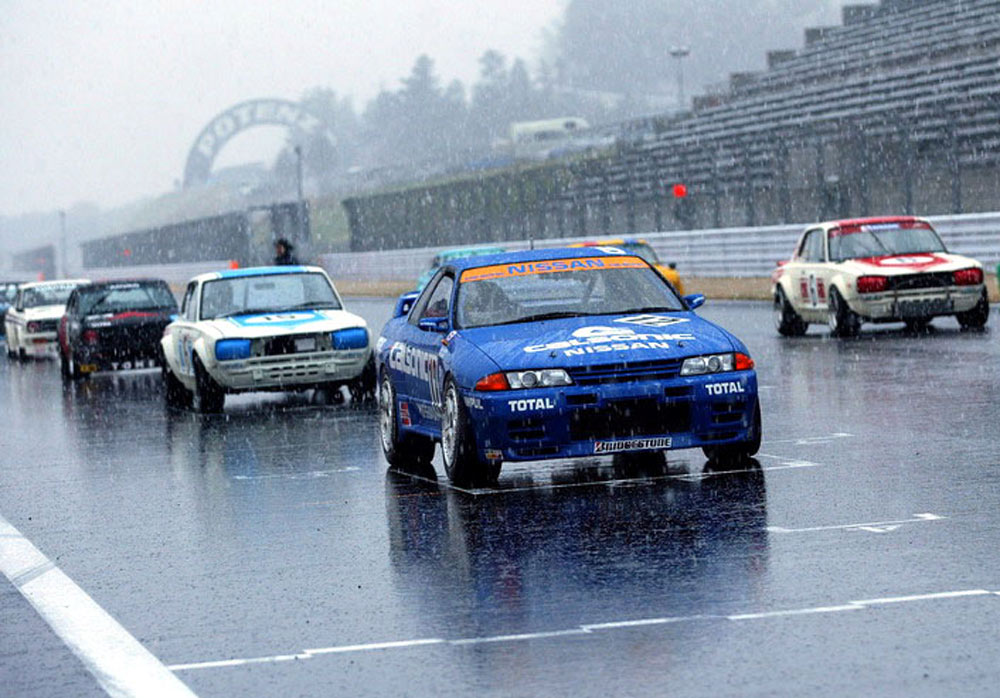
Hi Lachlan, I think it is hard to pick out one single event and call it the 'best'. It very much depends on what you expect / want to see........ In terms of classic-only interest events - the NISMO Festival is way down on the list. However, there usually is a lot of 'classic' related stuff to see and possibly more classic Nissans in the spectator car park than you will find at many classic-only events. The big point for me about the Nismo Festival is that there is a LOT going on. Almost too much for one day really. I'd say that 'we' would want to take in several Japanese events through the year, and take something different from each one. Does that make sense? The car didn't miss a beat over the two days. It was very well behaved, which is a good result considering how many super-rare original Sports Option parts it has on it. Testament to Matsui san's preparation I'd say. Yes - they are magnesium 'R' types. 15 inchers for the Dunlop slicks ( Saturday practice and Sunday morning ) and 14 inchers for the Dunlop wets ( Sunday afternoon snow ). At least one set of these belong to the car now, but I'm not sure which! The low profile of the wets on the 14 inchers made it look very strange indeed, but tyre choice is quite limited.......... The 15 inch 'Southern Ways' mesh wheels stayed at home thankfully ( if that's what you mean? ). :cheeky:
-
There seems to be continuing confusion with regard to TWO cars that were offered as lots in the Bonhams auction at the 2005 Goodwood Festival Of Speed. The histories of the two cars are being mixed up, and the mistake of switching the photos of the two cars in their respective catalogue descriptions is being repeated. 'LAL 909K' ( chassis no. HS30-01914 ) - the ex-Samuri Conversions road / race car that started out as a standard UK-market '240Z' - was entered in the Bonhams auction and WAS sold. This car did NOT later appear on eBay........... 'PTD 524K' ( chassis no. S30-02552 ) - A 1970 Fairlady Z-L bodyshell with a mixture of standard and ex-Works rally car parts attached to it - was also offered for sale in the Bonhams auction, but did NOT sell. THIS was the car that later appeared on eBay, with the vendor claiming that the car was actually 'HS30-00026' ( one of the Works 1970 RAC Rally entries ). The eBay auction ended early with a deal apparently having been struck behind the scenes. Read more about the cars on this thread: http://www.classiczcars.com/forums/showthread.php?t=19622&highlight=Bonhams I hear that both cars have sold to buyers outside the UK, so it will be interesting to see where they pop up next. Alan T.
-
A couple of 'bonus' photos:
-
Thanks Guus. Actually, something connected to Holland that might interest you was taking place over the weekend....... When we were going into the circuit on Saturday, we saw a small crew of foreign guys with bags, cameras etc. Sure enough they turned out to be journalists, and one of the NISMO staff told me that they were from a Dutch classic car magazine. They were being shown around by one of the guys who is part of Nismo's new European operation, and during the time they were working behind our two pit garages they were covering some of the cars owned by the GTROC ( GTR Owners Club ). The GTROC had a big turnout of C10 and C110 models in attendance, and the Dutch journalists were taken for a few rides round the circuit in PGC10, KPGC10 and KPGC110 models - using a people-carrier type vehicle as a camera platform. Maybe they will make a really good magazine article out of it, with good pictures? Something for you to look out for............. I have no idea of the name of the publication though. Cheers, Alan T.
-
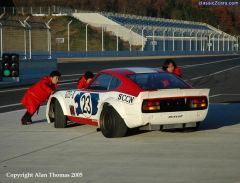 Hi Gav, If Nissan / NISMO know this car's true race history then they are keeping it quiet. Most likely it was a test car with little true period Works competition history. What is certain is that it was used by the Nissan Racing School soon after it was built, and was built pretty much to current full Works spec at that time. It was still in the period Nissan Racing School livery before it was rebuilt a few years ago. Its certainly not a 'replica'.
 -
Cheers Eric. I thought I might see you there, actually. Did it not work out? To be honest, it would have been an awful waste of time, money and effort to go there just for the few hours before the snow came on Sunday. I don't know if Nismo can bring the event a little forward in the year in future due to everybody's race commitments, but early to mid-November would be a good bet weather-wise I'd say. In other words - maybe missing the 2005 event wasn't such a big miss after all?
-
I recorded it onto a C60 cassette for him. I don't have any equipment that would transfer a vinyl recording to CD-R...... Which was funny, as when I gave it to Lachlan he looked as though I'd given him a papyrus scroll or something. Said he didn't have a cassette player in the house ( made me feel very old all of a sudden ). Hope you get those DVDs OK. They are worth every penny in my opinion. Cheers, Alan T.
-
Are they? :paranoid: I hope nobody is imagining that I have some kind of interesting or glamorous profession. In fact I'm just a glorified freelance gopher. I used to be more specifically involved in the textile industry, but these days I'll do anything - including antique sourcing for Japanese retail companies and location coordination for magazines. I've also had an association with a particular Japanese car magazine since they started 5 years ago, and help to arrange things for them here in the UK whenever needed - with a little bit of written reporting occasionally. I have also been doing a little bit of freelance buying and selling of car parts ( both ways between the UK and Japan ) over the last 15 years or so - which tends to be more of a vocation than a living. In the two NP35 pit garages at the Nismo Festival I was chief wheelwrench holder and snow scraper. Hope that satisfies your curiosity.....? Cheers, Alan T.
-
Jim, I have the '77 ( 'Spirit Of Skyline - Symbol Of 20 Years Of Quality'' ) and '83 ( 'The Skyline - Symbol Of 25 Years Of Quality' ) books and I can tell you that they are both distinctly different books. They are both excellent, but the earlier one is bigger, is a hardback, and has more fold-outs and features. It must have cost a lot more to make. Ask Alfadog about the 'Sound Of Skyline' record in the back. I made a recording of it for him. He probably knows the words off by heart by now. Cheers, Alan T.
-
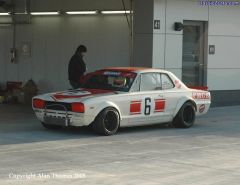 Nice - but not strictly 'period correct'..... I think this particular car runs on 16 inch wheels and modern race tyres and has a very modern suspension setup installed. It was bloody fast..........
 -
Before the event started, we were instructed that cars were not allowed to use reverse gear to back up into their pit garages. This was for crowd safety reasons, as the rear shutters of the garages were open and there were many spectators standing there.
-
Mike has kindly created a folder in the '2005 Events' Gallery section for the photos, and I have uploaded most of them now. I accidentally loaded some of them into my Gallery area, and I have tried to move them back into the correct section now. Sorry about that. See them here: http://www.classiczcars.com/photopost/showgallery.php?cat=3260 26th-Z, v12horse, Ron, Bill - thanks for the kind comments. It was a business trip - honest! Hi Jim, Yes, the NISMO Festival is usually filmed by the crew from '2 & 4' ( the people behind the Best Motoring series ) and they usually put out a video and DVD a few months after the event. They were there again this year with lots of in-car camera setups being rigged - so you can expect another top quality production from them. They should have got plenty of good material on the Saturday practice day and on the Sunday before the snow came....... Well, the video from the Nismo Festival should be pretty good, as they had in-car setups on the R380, R381 & R382. But you might want to look out for the new Best Motoring 'Racing History' series vol.1, which comprehensively covers the R380 thru R383 with lots of rare original race and testing footage, interviews with the key figures and tests of the R380, R381 & R382 machines that were present at the Nismo Festival. It is wonderful stuff. There's also a very good new 2-volume compilation DVD of original films that were made by Mazda at the 1963, 1964, 1966, 1967, 1968, 1969, 1971 & 1973 Japanese Grand Prix meetings. Apparently, Mazda were closely observing Nissan's activities during this period, and went head-to-head with Nissan using the Capella Rotary Coupe. I am told that Nissan obtained the original films from Mazda, but I don't know the full story. A total of 123 minutes of super-rare footage with the emphasis on Nissan machinery, and covering most of the race classes. Includes really good stuff on the SP/SR Fairladies, the Works S30-series Z race cars ( although nothing on the '70 & '72 seasons sadly ) and the Bluebirds and Skylines too. It is published by 'M3 Entertainment', and the 2 DVD compilation set is product no. MMDK-0003. Cheers, Alan T.