280Zone
Community Member
-
Joined
-
Last visited
Everything posted by 280Zone
-
 Not sure what the story is on the car but let me know if you are interested in selling those wheels.
 -
If anyone is interested I have some available. Most for 280's but one for a 240.
-
 I have a set of Motorsports lowering springs if you are interested.
 -
http://forums.hybridz.org/showthread.php?t=101130
-
Does this car have enough suspension left so i could tow it with a car dolly?
-
Just giving you a hard time. I understand the quest for those elusive parts, I did a lot of seaching for 1973 Trans Am parts at one time. I just checked and you are correct, mine are 10mm. I'll keep my eyes peeled for you though. Robert
-
I have a riveting tool and rivets, but as a previous poster identified they will not be exactly the same as 70's Nissan rivets.
-
I have some on my 75 you can have. Will you be at the next meeting? Robert
-
Yesterday but got no reply. I am also still interested, if they are still available. I'd even come to pick them up.
-
A few of our Club members have contacted him directly and I would guess have purchased the cars outright.
-
-
The "D" hubcaps are only on one side of the car? The others are "Z" hubcaps.
-
I have some billet aluminum replacements. They can be polished easily to look like chrome. If you would like more details email me directly at 280Zone@cox.net
-
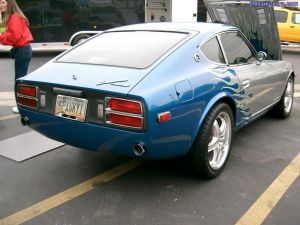 It's a pretty common mod here in AZ.n : ) http://www.desertzassociation.com/membersrides/Robert/75z/picpage/page8.htm
 -
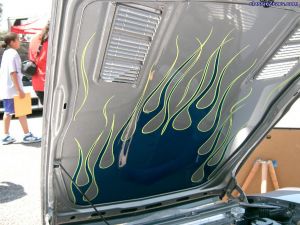 http://www.desertzassociation.com/membersrides/gary/index.shtml
 -
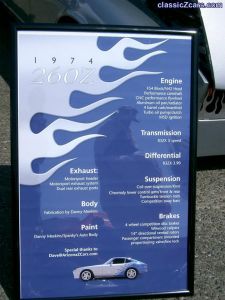 The award is a Peoples choice, everyone that entered the show had an opportunity to vote. They typically choose flashy cars over stock originals.
 -
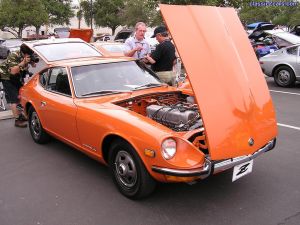 His name is Dan from Arizona.
 -
-
-
-
Peter has it right, I use soapy water but I live in AZ so I doubt I have to worry about rust. Also remember to install the stainless steel trim in the rubber before installing it in the car and after installing it on the glass.
-
-
-
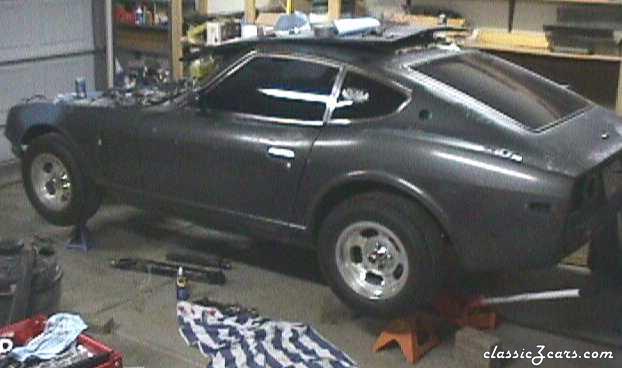 Just getting ready to get started after buying the car.
 -
As things get started.