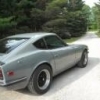
Just what the Doctor ordered. 1977 280z - Page 2 - Build Threads - Classic Z Car Club Skip to content

Just what the Doctor ordered. 1977 280z

Featured Replies

Looks like you have a little coolant seepage at the thermostat housing. Could be a loose bolt, maybe. Or just a plain ol' dried up gasket.

The fantastic 77 color wiring diagram was created by Wayne @wal280z.

Here's the latest. It's Revision "M". It includes the two changes mentioned above (voltage regulator and illumination light in the Temp/Oil gauge):

1977 Color Wiring Diagram Version M.pdf

And if you want to see any of the history of changes, here's a thread with some details:
https://www.classiczcars.com/forums/topic/11727-color-wiring-diagram-for-280z/?page=3

  • Author

That is a beautiful diagram, I'm going to put that on a stick and take it to a print shop to see if they can make me a full size copy.

Thanks again.

S
Sponsored
Advertisement
Go Ad-Free
No ad showing? Ads help support ClassicZcars. If you use an ad blocker, please consider allowing ads on this site or Go Ad-Free.
11 hours ago, grannyknot said:

Thanks guys, great info. @240260280 Philip, are you still selling those fuse blocks to replace the fusible links? Me want.

I may have a few kicking around.

Yeah, I can't imagine what stage of electrical disrepair I would be at currently if it weren't for Wayne's wiring diagram. There are honestly projects that I would have simply not tackled if I had to spend that same time tracing the wires on the stock multiple page monochrome diagram.

unbolt the mount for the gas strut. single nut on the back.

Edited by Dave WM

  • Author
22 hours ago, Dave WM said:

unbolt the mount for the gas strut. single nut on the back.

Ahhhh, now I see, I thought that the whole flange was welded on.

So this spare tire is pretty much dedicated to have a can of compressed gas to fill it up, what is everybody using? The original can has something sloshing around inside but I sure wouldn't want to depend on it.


IMG_0725.JPG

Create an account or sign in to comment

Account

Navigation

Search

Search

Configure browser push notifications

Chrome (Android)
  1. Tap the lock icon next to the address bar.
  2. Tap Permissions → Notifications.
  3. Adjust your preference.
Chrome (Desktop)
  1. Click the padlock icon in the address bar.
  2. Select Site settings.
  3. Find Notifications and adjust your preference.