Leaderboard





Popular Content
Showing content with the highest reputation since 09/15/25 in Files
-
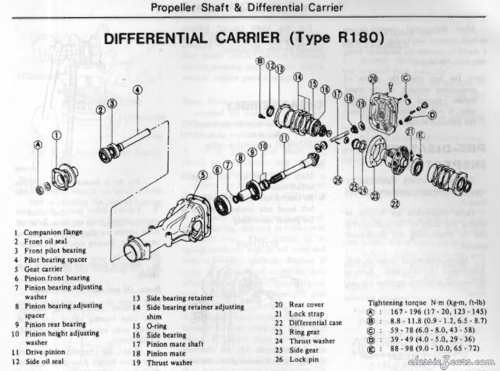
3 pointsAs indicated, Enrique Scanlon, who passed away WAY too young in 2013, created the basis of this document in 2004. As I started working on my car, I contacted him with suggestions and he collaborated with me to produce the 2011 version. I have since then added a few things to produce this latest version. I hope it is of some use to my fellow S30 owners. Bob Kroshefsky (Seppi72)Free3 points
-
2 pointsI made a template for the license plate light gasket. I downloaded it as DWG and DXF.Free2 points
-
1 point
-
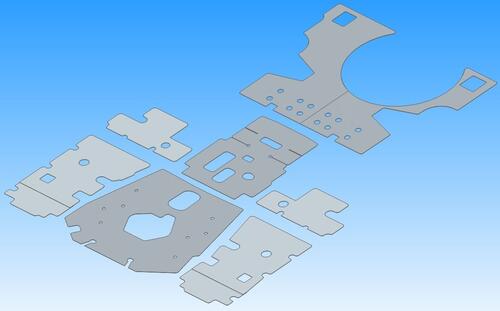 Templates for the tar mats (floor insulators) for the front floor and under seat areas of a 1970 240Z in PDF and DWG formats. The dimensions were taken from my July '70 car. I measured these as accurately as I could and printed verification templates on a wide format printer to check fit. Transmission tunnel and rear deck templates have now been added, this now a complete set.Free1 point
 -
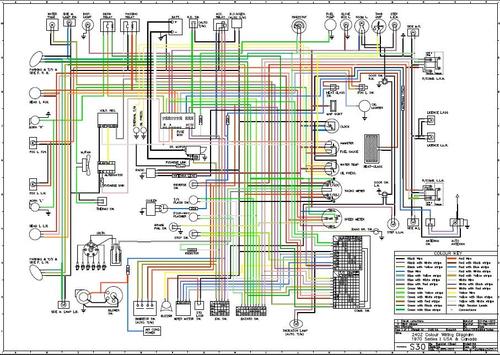 This is a color copy of the early 1971 wiring diagram. Includes "Passing Relay" circuit.Free1 point
 -
1 point
-
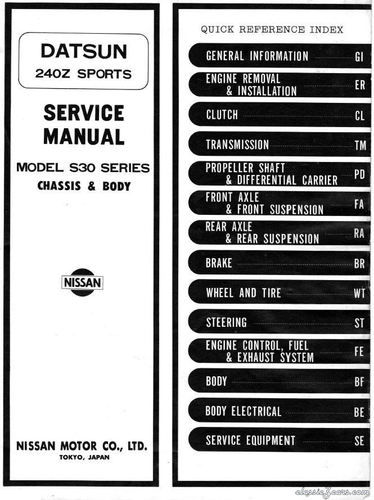 This is a relatively high resolution pdf version of the 1970 Factory Service Manual - Body & Chassis Volume. Does not include the Engine Volume. Source: DATSUN 240Z SPORTS SERVICE MANUAL MODEL S30 SERIES CHASSIS AND BODY Issued Date: 15th August 1970 (020030) Printed in Japan Publication No. SM0E-0S30G0 NISSAN MOTOR CO., LTD.Free1 point