Skip to content

30+ Years owning HLS30-10558

Featured Replies

1970 build date 9/70 HLS30-10558

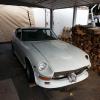
I have owned this Z since 1985 Bought in Lancaster CA after landing a Job in aircraft after obtaining my A@P. It was my daily driver till 1989 when I bought a new SEV6 Nissan truck. I started the resto soon after removed the L24 from rebuild and replaced with L28 motor and running fear. After the L24 was finished it was reinstalled in the car and the L28 was rebuilt with high comp pistons miled cam and trip webers. The L24 was removed and the rebuilt L28 installed. Started the body work and all that needed replacing was the left rear quarter. After the body was streight I installed a MSA body kit then the car was primered with many coats of K200 and one round of top coat white. By now with job changes and life I moved back to CT in 1995 and the car was in tow. Fast forward to 2015 it was time to pull her out of storage and get her back on the road. I refreshed the break and clutch systems changed the fluids cleaned the carbs and she is a runner once again. As i do not have a garage my plan in the spring is a full resto..

As bought..

post-30703-0-14966800-1449444723_thumb.j

Edited by Mike

  • Author

A few more pics from CA 1989.


img050_zpsgbw72cbn.jpgimg049_zpsajnbcjlv.jpgimg046_zpssnmkgatx.jpgimg048_zpsfxwzfckf.jpgimg045_zpsh0gpu34n.jpg

Edited by beerdart

Keep us posted on progress. I'm within a few months of owning my Z for 45 years and, like your's, it's a work in progress. Stick with It!

Dennis

I'm 2nd owner of hls30-10610. I think yours is the closest VIN to mine I've seen yet. To think, they could have been on the same boat with each other.

I'll have the olive green Z to the lower left, the olive green 510 in the upper right and might as well throw in a pick up, any colour.

I wonder if one of those 113 greens is mine.

Edited by Pat Carr

Create an account or sign in to comment

Remove Ads

Important Information

By using this site, you agree to our Privacy Policy and Guidelines. We have placed cookies on your device to help make this website better. You can adjust your cookie settings, otherwise we'll assume you're okay to continue.

Account

Navigation

Search

Search

Configure browser push notifications

Chrome (Android)
  1. Tap the lock icon next to the address bar.
  2. Tap Permissions → Notifications.
  3. Adjust your preference.
Chrome (Desktop)
  1. Click the padlock icon in the address bar.
  2. Select Site settings.
  3. Find Notifications and adjust your preference.