Skip to content

The Last S30

Featured Replies

Well it's not in California or at least that VIN has no smog check record here.

  • 2 weeks later...

I just bought a 1978 280Z on Ebay with a 6/78 bulid date....maybe I have one of the last....gotta check that vin. From what I understand it was a CT car...so at lease I know it isn't a CA car with a smog check.

I'll try to post a picture.

My 78 280Z is a late VIN # or so I've been told.

1307 from the last VIN according to the FSM.

According to one factory document:

Aug. 1977 thru June 78

HLS30 420001 - 470009

So 470009 should be the last 280Z produced (but I wouldn't bet too much money on that)

FWIW,

Carl B.

That's what I said back in post 5, or tried to say. I typoed and corrected in post 7.

Not quite what you said - - from the comments that followed Post #7 it still seemed to me that it would be helpful if people knew both the starting number as well as the ending number, along with the starting and ending months of production.

Just wanted to add some information...

FWIW,

Carl B.

Ok I finnally got the vin# - HLS30467711 ...about 2000 or so cars from the end.

Question: Anyone know the vin# for the very last S30 ever produced?

Are you interested in the last of all, or just the last North American market model?

S31 and GS31 production continued until late July 1978, so there's a good chance that the last of those models might actually be the last S30-series Z produced.

I have no idea how you could discern which was last produced just by going on the highest body serial number........?

  • 15 years later...

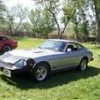
I know where the very last 240Z is, but I'm not going to reveal its location, due to respect for the owner's privacy. 

 image.jpeg

Create an account or sign in to comment

Remove Ads

Important Information

By using this site, you agree to our Privacy Policy and Guidelines. We have placed cookies on your device to help make this website better. You can adjust your cookie settings, otherwise we'll assume you're okay to continue.

Account

Navigation

Search

Search

Configure browser push notifications

Chrome (Android)
  1. Tap the lock icon next to the address bar.
  2. Tap Permissions → Notifications.
  3. Adjust your preference.
Chrome (Desktop)
  1. Click the padlock icon in the address bar.
  2. Select Site settings.
  3. Find Notifications and adjust your preference.