New Z Owner - Orange 72 - Introductions - Classic Z Car Club Skip to content

New Z Owner - Orange 72

Featured Replies

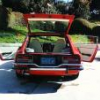
Hey guys. New member here, just getting some pics and info up to join the community. Im out of So Cal and bought my Z about 5 weeks ago for a great deal(IMO).

So far I've gotten new wheels/tires, tune, 2" exhaust to turbo muffler and just ordered some ground controls and illuminas yesterday... can't wait to get those on :)

My240z.jpg

Day I picked it up.. with some photoshopping

SSPX0183.jpg

SSPX0184.jpg

SSPX0185.jpg

SSPX0181.jpg

SSPX0166.jpg

This car has no major issues, very few minor issues, and only 83K original miles!

I'm extremely happy to own my 240z

-Bryan

Edited by bLatantS30

Looks like you scored a nice one, I like the red over white. Is that the original dash or, a cap?

S
Sponsored
Advertisement
Go Ad-Free
No ad showing? Ads help support ClassicZcars. If you use an ad blocker, please consider allowing ads on this site or Go Ad-Free.
  • Author

Thanks a lot everyone! The car is actually more of an orange, but I love how it gets red-ish in the sunlight. That's the original dash, Brian. This Z sat from 1992 up until about 8 months ago! I definitely got a great deal. Zedyone, the wheels were something I was only mostly happy with.. more-so my size choice instead of 16" that gave me some buyers remorse. I think the 2"+ drop I have planned next week will definitely have them fitting in better, though.

-Bryan

Nice looking car. New member-to-new-member, welcome to the forums. I've found this site great to relearn everything I forgot, and I've learned a lot of new information too.

Looks exactly like a code 110 (Grand Prix Red) i looked at in Upstate New York last week,but doubt its the same car .Yours is much nicer!

Add description said rock solid frame and floors .I dont know if being able fit my hand through a hole in the toe board qualifies as "Rock Solid" ?

Create an account or sign in to comment

Account

Navigation

Search

Search

Configure browser push notifications

Chrome (Android)
  1. Tap the lock icon next to the address bar.
  2. Tap Permissions → Notifications.
  3. Adjust your preference.
Chrome (Desktop)
  1. Click the padlock icon in the address bar.
  2. Select Site settings.
  3. Find Notifications and adjust your preference.