Skip to content

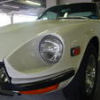
5 Good California 240Zs on Ebay

Featured Replies

Steve, that dealership has been trying to sell that car (second link) since March 2006. They were asking $9000!!!! back then. I see it advertised in Craigslist all the time.

  • Author

Bo,

You would think they would try to clean it up a bit before trying to sell it!

Number 2 looks more like a, expensive parts car with a bad repaint to help it sell. The last one however (gold 71') looks to be in great condition and would be a nice start for someone looking to buy and not have to dump a boatload of $$$ on it before being able to drive it.

the second one is described as a 72 in the auction info, then as a 71 in the seller's description. What gives? a 70,000+ VIN is definitely later than a 71.

And for the 4th one, how can you have "new original paint"?

Agreeing with Enigma; the last one is in the same shape I bought my first one, and would be an excellent starting point.

New original paint = new paint original color, pretty simple.

I like that car. If I lived down there I would take a look. The interior is very good except for the radio and rear carpet. Needs more pictures.

#5 is nice outside, I do like original original paint best. The interior is dubious, dash cap and poorly covered seats at a glance.

I'ld love to have either one.

The Last two look great the first one was up for auction before because I posted as a good project starter, LOL, a while back. I wonder how Arne feels about number 4. :)

I wonder how Arne feels about number 4. :)
Arne likes it. It's much like what I had in mind for the yellow car, before the red car arrived.

A guy on another board was interested in the yellow car...but I guess her reserve is like $10,500. Seems a lil high for a car with that kind of mileage?

Create an account or sign in to comment

Remove Ads

Important Information

By using this site, you agree to our Privacy Policy and Guidelines. We have placed cookies on your device to help make this website better. You can adjust your cookie settings, otherwise we'll assume you're okay to continue.

Account

Navigation

Search

Search

Configure browser push notifications

Chrome (Android)
  1. Tap the lock icon next to the address bar.
  2. Tap Permissions → Notifications.
  3. Adjust your preference.
Chrome (Desktop)
  1. Click the padlock icon in the address bar.
  2. Select Site settings.
  3. Find Notifications and adjust your preference.