15 x 7 Panasport/Konig Tire choices - Page 5 - Wheels & Brakes - Classic Z Car Club Skip to content

15 x 7 Panasport/Konig Tire choices

Featured Replies

  • Author

Cool Max. That's what I am going with on the '78 280Z.

  • Author

Oops I meant the 205/60HR15 Avid H4's.

  • Author

I made the right choice with the Panasports. They look and drive great. I'll try and get some new pics up soon.

  • Author

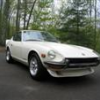
I took this quick pic today of the Panasports on my sons 280Z.

post-5664-14150798900536_thumb.jpg

Hey Jmark,

Great looking 280 with those Panasports....

S
Sponsored
Advertisement
Go Ad-Free
No ad showing? Ads help support ClassicZcars. If you use an ad blocker, please consider allowing ads on this site or Go Ad-Free.
  • Author
Hey Jmark,

Great looking 280 with those Panasports....

Thanks! It really looks nice with the Panasports.
  • 2 years later...

I am running Panasports 15 x 7 with yokohama A-509 (out of production) 205/60/15..

just for reference.

3563865788_8508904c98_b.jpg

OH , and I have the same red Tokiko springs and struts

Edited by Zedyone_kenobi

  • 5 months later...

This is an old thread, but I did not see any information about 16x7 Panasports. Is anyone running 16x7's? If so, with what offset? What size tires? Any rubbing issues?

This is an old thread, but I did not see any information about 16x7 Panasports. Is anyone running 16x7's? If so, with what offset? What size tires? Any rubbing issues?

I run 16x7 Panasports with the tires in my sig and yes, they rubbed severely. Do a search on my name and you will see what I went through. If you buy Panasports from Motorsport Auto, you miight not have rub issues. They sell +6 offset rather than the much more common zero offset like I have. They do look fantastic in zero offset and 225/50R16 tires, but I had to do a lot of trimming.

S
Sponsored
Advertisement
Go Ad-Free
No ad showing? Ads help support ClassicZcars. If you use an ad blocker, please consider allowing ads on this site or Go Ad-Free.

Create an account or sign in to comment

Account

Navigation

Search

Search

Configure browser push notifications

Chrome (Android)
  1. Tap the lock icon next to the address bar.
  2. Tap Permissions → Notifications.
  3. Adjust your preference.
Chrome (Desktop)
  1. Click the padlock icon in the address bar.
  2. Select Site settings.
  3. Find Notifications and adjust your preference.