Skip to content

Jim Carey's "Bruce Almighty" Z

Featured Replies

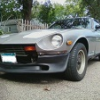
As much as I liked seeing a Z on the big screen, would have liked it if they used a different car :(

I agree, something about wrecking a Zed, even a 2+2 didnt sit very well with me.

Chris

Im not a big fan of 2+2 Z's... they should have atleast made it a coupe for my liking anyways=P As far as the Crazy arse Saleen he drove... it was a Saleen S7 ( what I believe to be Saleens version of the Mclaren f1, just like the saleen mustang) Anyways i refuse to watch the fast and the furious because they destroyed that AMAZING charger and i cry everytime i see it... it disgusts me. And in the damn movie the next karate kid they blow up a freakin olds 442... Y just give the damn things to me!!! :cry:

  • Author
...The supercar driven by Bruce Nolan later in the film is a Saleen S7, this car is often confused with the Mclaren F1.
I concede my argument... :surprised :hurt:

Looks like they bought it off someone else for $5000. They even use their photo of it in the ebay advert.

http://www.practicalclassics.co.uk/auctionlot/by-id/1651746024/

The second Z made for the movie didn't sell. (maybe that was the one they crashed?)

http://www.practicalclassics.co.uk/auctionlot/by-id/2068187349/

  • Author
Hi Matt, no arguments intended! No harm, no foul.

Chris

:) Yeah,

I was just so convinced, LOL, oh well, live and learn something new everyday (mash-up of clichés :D )

  • 2 weeks later...

I do not think Jim Carey would even sit in that car !!!! Plain exploitation to raise the price of a Z !!!!!

Didn't the driver door have "HERO" etched into it? If the glass was droken, as this Z has, shouldent the door also say "HERO"? They should have a picture of the door, right? ROFL

Create an account or sign in to comment

Remove Ads

Important Information

By using this site, you agree to our Privacy Policy and Guidelines. We have placed cookies on your device to help make this website better. You can adjust your cookie settings, otherwise we'll assume you're okay to continue.

Account

Navigation

Search

Search

Configure browser push notifications

Chrome (Android)
  1. Tap the lock icon next to the address bar.
  2. Tap Permissions → Notifications.
  3. Adjust your preference.
Chrome (Desktop)
  1. Click the padlock icon in the address bar.
  2. Select Site settings.
  3. Find Notifications and adjust your preference.