


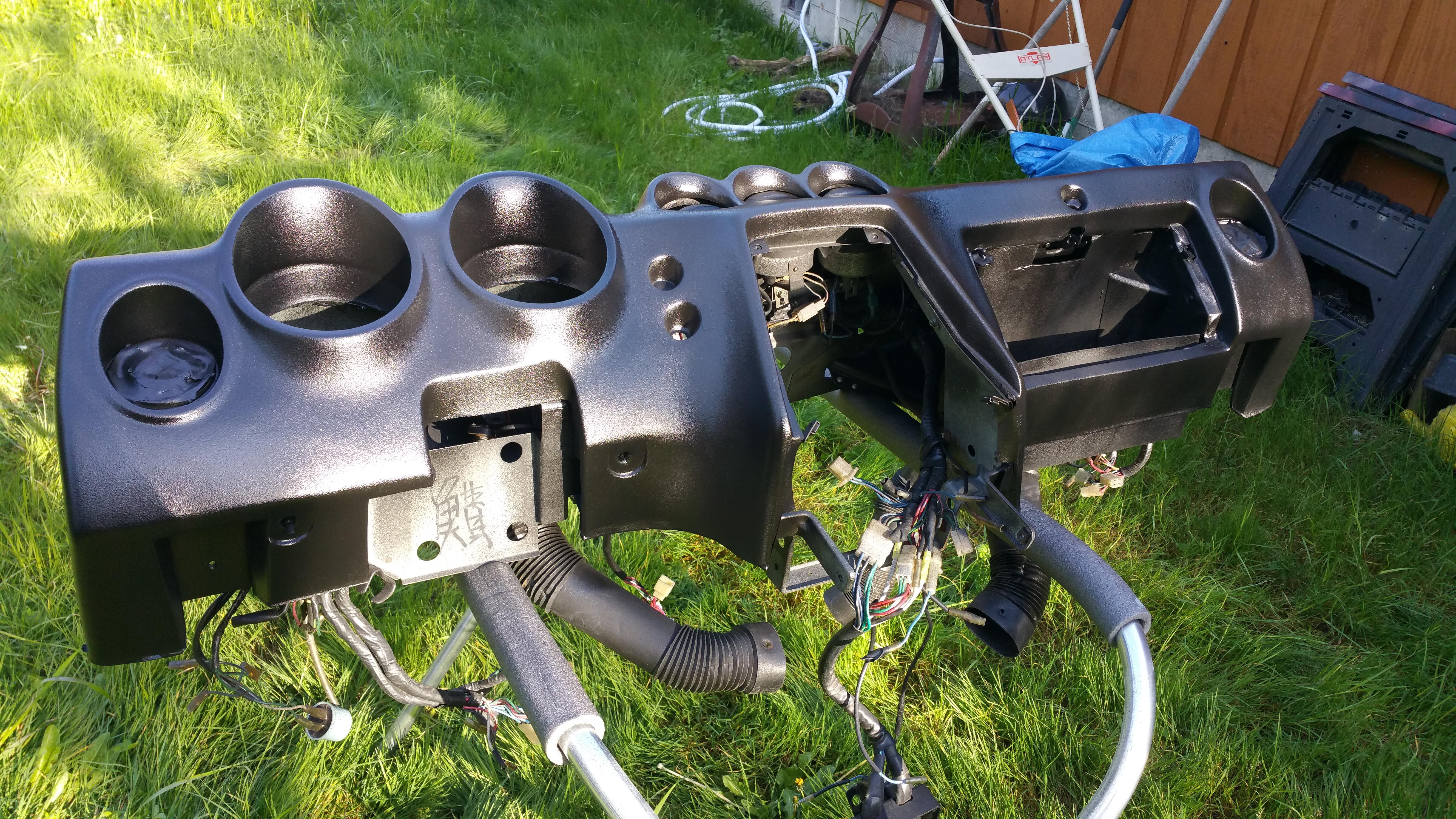

Just for grins, I'll summarize the process of removing the dash in case it helps anyone else, having done this around six times on my 1983 280ZX:
1) Remove left and right foot well trim panels under dash (2 screws each)
2) Remove radio console (one screw holds the triangular trim piece on each side, then 4 bolts on each side; you may not have to remove wire harnesses if there's enough slack to sit the panel on the passenger floorboards)
3) Disconnect various-colored wiring harnesses on passenger side firewall.
4) Remove two large factory cable ties next to wiring harnesses; these retain the harnesses to the dash frame (these are re-usable; release the ties by pressing on the small tab on the upper side between the tail end and the metal frame, then push the tail end back out of the tie)
4) Remove the steering wheel shroud, then with a punch lightly mark the steering wheel relative to the steering shaft so you can re-install the wheel centered during re-assembly. Remove the steering wheel. I have heard that some have removed the dash without pulling the steering wheel, but I can't imagine how they did it. It's worth doing it right.
5) Loosen one screw on the right side of the turn signal assy to release the clamp holding the turn signal assy on the steering column. Disconnect wiring harnesses and slide turn signal assy forward off the shaft - it can dangle.
6) Reach under dash on the right/passenger side of the steering column and disconnect speedometer cable near the firewall (this is easy to forget)
7) Remove cosmetic plugs over four screws on top of dash - try to preserve them, they're hard to find.
? Remove the 8 main dashboard screws/bolts: four screws across top of dash, four bolts on bottom side of dash (two of the bottom bolts are hidden by the radio console until you remove it)
9) Remove five screws holding the center dash vent trim in place; remove center trim panel, now remove two screws holding the heat/AC control box to the dash frame. (This is really easy to miss.)
You may now remove the dash. Try not to scrape it on the A-pillar trim too much; you may tape over the A-pillar trim to minimize the potential for scrapes. I find it easiest to pull the passenger side forward first; keep it low so it won't jam the dash in place.
Re-installation is the reverse; right after you set the dash back in place, don't forget to check the position of the speedo cable and re-connect it. A common problem is that the cable gets routed down the left side of the steering column and can't be connected, which requires pulling the dash again. Try and avoid this.
-
 1
1
Recommended Comments
Create an account or sign in to comment