Skip to content

New Graphics on my Z

Featured Replies

  • Author

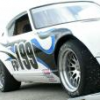
Yep... We flamed it! Not quite one of the original concepts, but close. I hadn't posted anything, because I was planning to reduce the number size a little. They cover too much of the flames. Here's a picture from the Houston Natl. Tour. We ran EM since no one showed up in FP. We told everyone the flames weren't legal in Preprared. The EM on the door was just electric tape so it looks like crap.

We kinda surprised some of the guys in EM. Finished second behind the former Natl Champ. He won by 5 seconds, but that was all from day one when it started raining right after his run.

Tom

post-2694-14150793759683_thumb.jpg

Tom,

I really do like the looks of the new graphics on your car :)

And still can't believe how well you did

against the E Mod guys ... WTG

Mike

Tom, you're not going to believe this, but my new race car is disturbingly like your #2 scheme. Here is a really bad photo and you will probably need a Yahoo ID to view...

http://us.f1.yahoofs.com/groups/g_11752116/__hr_IMGP1619.jpg?bcdfUgABC5HUyMPQ

steve

Steve:

Link doesn't work at all for me. (I have a Yahoo user ID, but link just gives up an error page.

Originally posted by Bambikiller240

Steve:

Link doesn't work at all for me. (I have a Yahoo user ID, but link just gives up an error page.

Same here.

I got it to open earlier today, and without a yeehoo user ID either, but it isn't working now....:cross-eye

Sure is fun playing around with diferent hosts...NOT! Too funny. What the hell...here you go...

The other side is just the opposite. The front fender is all blue and it all fades to zero about mid-door. In the rear, the blue dies down through the valence just right of center. I got the idea from a BMW in a magazine I have--but it was red/white/blue.

steveattachment.php?s=&postid=83340

post-2047-1415079376285_thumb.jpg

Create an account or sign in to comment

Remove Ads

Important Information

By using this site, you agree to our Privacy Policy and Guidelines. We have placed cookies on your device to help make this website better. You can adjust your cookie settings, otherwise we'll assume you're okay to continue.

Account

Navigation

Search

Search

Configure browser push notifications

Chrome (Android)
  1. Tap the lock icon next to the address bar.
  2. Tap Permissions → Notifications.
  3. Adjust your preference.
Chrome (Desktop)
  1. Click the padlock icon in the address bar.
  2. Select Site settings.
  3. Find Notifications and adjust your preference.