New Graphics on my Z - Page 2 - Racing - Classic Z Car Club Skip to content

New Graphics on my Z

Featured Replies

I love thr BRE if you were gonna stripe it, otherwise you might just choose a wild solid color , but I am not a big stripes or graphics kinda guy

  • Author

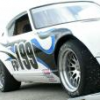
Here's the photoshop rustbucket

post-2694-14150793437206_thumb.jpg

Originally posted by Victor Laury

What I'd really like is a new Tom Holt "Ride along" video. I think I played the old one to death.

What is this? AutoX, Road course race, blast through the backroads?

Is it a video tape sold somewhere? a downloadable clip? DVD? or ????

Originally posted by tholt29

Here's the photoshop rustbucket

Bucket? :cross-eye :cross-eye More like a Sieve than a bucket. LOL

S
Sponsored
Advertisement
Go Ad-Free
No ad showing? Ads help support ClassicZcars. If you use an ad blocker, please consider allowing ads on this site or Go Ad-Free.

brianglawson, I love the wheels on that car. Do you have any information on those?

  • Author

Hey Carl,

The video is just a couple of MPEGs on my website... http://sth2.com/Z-car/ scroll down to the video links and see why I don't make my living as a professional video editor or race car driver! :)

I was looking through my newer video clips and found a few more that I can put up... I need to convert them to mpgs first... I don't think my bandwidth limits would like people pulling down 200+Mb for a 60 second clip. Give me a few days...

Tom

Originally posted by tholt29

Hey Carl,

The video is just a couple of MPEGs on my website... http://sth2.com/Z-car/ scroll down to the video links and see why I don't make my living as a professional video editor or race car driver! :)

Tom

Thanks for the link Tom. :D I'll be sure to check them out. Thank you!

Carl

It was the clip, "Roll'em" that I liked so much. You get the sensation of speed, and driver busy-ness. It closely catches the AutoX experience.

White w/ the Orange, then the black / blue flames

Create an account or sign in to comment

Account

Navigation

Search

Search

Configure browser push notifications

Chrome (Android)
  1. Tap the lock icon next to the address bar.
  2. Tap Permissions → Notifications.
  3. Adjust your preference.
Chrome (Desktop)
  1. Click the padlock icon in the address bar.
  2. Select Site settings.
  3. Find Notifications and adjust your preference.