Skip to content

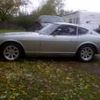
From black to silver

Featured Replies

I'm glad your're painting it silver. I agree that it looks good on the Z. Most light colors do, they show off the lines of the car best. Black is the worst color for the Z for that reason, in my very humble opinion!!

  • 2 weeks later...
  • Author

Got the glass installed.

Had a Black Dragon weatherstrip kit I bought a while back.

Window and hatch rubber was great.

WE gave up on their door weatherstrip and got it from an 850 Volvo and that worked with a little tweaking.

The colour on these pictures suck.

I really want to get this thing out into the sun and out of the neon light and see the paint the way it is supposed to look

post-21264-14150814852845_thumb.jpg

post-21264-14150814853503_thumb.jpg

post-21264-14150814854107_thumb.jpg

Edited by Casey_z

Hey Casey,

I also recently gave up on Black Dragon door weather stripping after weeks of trying to get the doors to close properly. I went with the much talked about Kia Sportage weather stripping that worked like a charm.

As I mentioned on OntarioZcar.ca, your car is looking great can't wait to see it out at some of the club events.

Edited by colinc

  • Author

The Volvo weatherstrip is excellent quality

Gives an excellent seal but a little tight.

It is a good looking install.

The doors line up perfect.

I will post some pictures

Casey

Edited by Casey_z

What is the silver paint you used? Looks a bit darker than the stock color, but looks very nice!

  • Author

Final stages.

Put it together.

What a blast to drive it even in the rain:D

post-21264-14150814868928_thumb.jpg

post-21264-14150814866353_thumb.jpg

post-21264-14150814867003_thumb.jpg

post-21264-14150814867606_thumb.jpg

post-21264-14150814868194_thumb.jpg

I bought a black Ferrari but if you look at the cars, silver shows off the lines so much better. Aesthetically siver is the way to go.

Create an account or sign in to comment

Remove Ads

Important Information

By using this site, you agree to our Privacy Policy and Guidelines. We have placed cookies on your device to help make this website better. You can adjust your cookie settings, otherwise we'll assume you're okay to continue.

Account

Navigation

Search

Search

Configure browser push notifications

Chrome (Android)
  1. Tap the lock icon next to the address bar.
  2. Tap Permissions → Notifications.
  3. Adjust your preference.
Chrome (Desktop)
  1. Click the padlock icon in the address bar.
  2. Select Site settings.
  3. Find Notifications and adjust your preference.