Skip to content

Hls000248?

Featured Replies

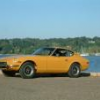
I found this last week while searching the net. The VIN # doesn't have the 3 in it.

http://www.carandclassic.co.uk/car/C52351/

He has it painted like a 78 Corvette pace car.

I think the guy got the vin wrong. And why is he advertising in England?

John

Edited by JohnnyO

Sub 4 second 0-62...........even with a V-8 and gets 30+ mpg, Hmmmmmmm.

Edited by mally002

That car belongs to a member here. It was not complete enough to do a stock restoration on, so he built it like he wanted to. You can search the site and find more information about how he got it and his rebuild process. Obviously the VIN should be HLS30-00248, so it must be a typo. As to why he is advertising it in England, my GUESS would be due to the favorable exchange rate and fewer surviving Z's there.

-Mike

The paint scheme reminds me of the '78 Silver Anniversary Corvette Pace Car.

post-6600-14150805415374_thumb.jpg

post-6600-14150805415632_thumb.jpg

post-6600-14150805415954_thumb.jpg

post-6600-14150805416315_thumb.jpg

Edited by lonetreesteve

Is it me and my dusty screen or is it missing the front windshield?

No rear hatch window either. Photos must be from before the car was finished, i guess.

  • Author
The paint scheme reminds me of the '78 Silver Anniversary Corvette Pace Car.

Is that your collection Steve?

Is it me and my dusty screen or is it missing the front windshield?
The front windshield and cowl both appear to be missing in that first pic.
The paint scheme reminds me of the '78 Silver Anniversary Corvette Pace Car.
Is that your collection Steve?

No, I can only wish it were my collection, Johnny'O!

That car is HLS30-00248 it belongs to my friend Bryan that lives down the road from me. I can vouch for the car as it is completely restored with all the glass in it now. Has A/C too! Here is a link to some in progress pics.

First class build all the way!!! Flawless paint!!!

http://dat240zg.googlepages.com/datsun240zhls000248

http://www.thehackshack.net/240z.htm

Create an account or sign in to comment

Remove Ads

Important Information

By using this site, you agree to our Privacy Policy and Guidelines. We have placed cookies on your device to help make this website better. You can adjust your cookie settings, otherwise we'll assume you're okay to continue.

Account

Navigation

Search

Search

Configure browser push notifications

Chrome (Android)
  1. Tap the lock icon next to the address bar.
  2. Tap Permissions → Notifications.
  3. Adjust your preference.
Chrome (Desktop)
  1. Click the padlock icon in the address bar.
  2. Select Site settings.
  3. Find Notifications and adjust your preference.