Skip to content

hey, what do you think about it?

Featured Replies

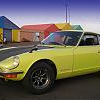
I did some heavy welding in Photoshop, bloody messy job, but I came along with that ! It shouldn't be to hard to do for real, wouldn't require to modify any body parts, just the bumper and the grid, oh and the logo's pinholes on the hood would need to be filed. But the main question is do you like the front of the standard Z, or do you think it look like the guy in charge took a long break and never came back to finish the job? I do!

facia.gif

Fred, virtual welder

Looks alright mate.. dunno if I like it more than the original look though............

Looks nice, your Camaro Z .

The virtual welder is a great thing. Would like to play with that, for instance in combining a Ferrari 250 SWB front to the Z.

Rolf

  • Author

your so right about the 250, I think it's a lot nicer than the gto.

I guess it's not well kown enough... too bad it would heva made a killer car!

What happened under the bumper? Looks like the turn signals are missing and the bottom cowl is different. Other than everyone elses comments, it's not all that bad for a non stock.:stupid: :stupid: :stupid: ...sorry...don't know what this ending means

I agree with silv it does look like a chrysler logo.

If the logo of the z in the circle was on the hood such as the datsun logo on the original cars that would look good.

As for front ends I like the air dam on my car which is why I bought it. :smoke:

I think that it looks so good that I might just try the bumper design on my next 240Z. I don't know about the grill emblem yet. It might grow on me. I even copied the photo for my Webshots screen saver program too (with proper credits to you).

  • Author

you don't know how lucky you are to have the turn signal in the lower valance. In europe we mostly have them stuck on the bumper like the last minute adition it was!!!!!

Create an account or sign in to comment

Remove Ads

Important Information

By using this site, you agree to our Privacy Policy and Guidelines. We have placed cookies on your device to help make this website better. You can adjust your cookie settings, otherwise we'll assume you're okay to continue.

Account

Navigation

Search

Search

Configure browser push notifications

Chrome (Android)
  1. Tap the lock icon next to the address bar.
  2. Tap Permissions → Notifications.
  3. Adjust your preference.
Chrome (Desktop)
  1. Click the padlock icon in the address bar.
  2. Select Site settings.
  3. Find Notifications and adjust your preference.