Skip to content

konig screech

Featured Replies

hi guys. another z owner like's the look of the new konig screech motorsport's are offering.Has anyone seen these on a zed or have any pictures with them on a car? what do you think?

post-14113-14150800178505_thumb.jpg

I think they would look right at home on a 280zx, but I'm not sure about an S30 though.

looks like their more along the lines of 80s cars, just like the other works-style wheels

Ah, the Work Equip 02 rip off wheel by Konig.

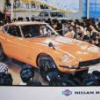
Here's what they copied.

130_0507_07z+1973_nissan_240z+front_left_view.jpg.

Very true, except I believe the Konig is a FWD wheel that requires thick spacers when used on a Z. Could be wrong, but there's no other reason for it not to have any lip.

i think the lack of lip on the pictured wheel is just a stock photo. if i had to guess, i would say that they offer them in a myriad of offsets, etc.

i think the lack of lip on the pictured wheel is just a stock photo. if i had to guess, i would say that they offer them in a myriad of offsets, etc.

I think in this case, Arne is correct. MSA offers custom spacers with all their Konig wheels. There simply is not enough of a market to make zero offset wheels. The costs are high when the volume is low. That is why Panasports (and their ilk) seem the go to wheel.

  • Author

yes there is some mention of adaptors that come with this wheel so as usual arne (alias our very own columbo!) your probably right.They do look at bit 80's. I think the revolution's available from here in uk would look well on his zed.

post-14113-14150800179966_thumb.jpg

post-14113-14150800180039_thumb.jpg

post-14113-14150800180132_thumb.jpg

  • 4 years later...

post-16261-14150814720877_thumb.jpg

I love these wheels on my car. However, I do not like the additional weight the thick offset adaptors add. I am looking for a similar wheel with the correct offset so I can ditch the adaptors. If I had the correct zero offset wheel the wheel would have a deeper dish look.

post-16261-14150814720667_thumb.jpg

Create an account or sign in to comment

Remove Ads

Important Information

By using this site, you agree to our Privacy Policy and Guidelines. We have placed cookies on your device to help make this website better. You can adjust your cookie settings, otherwise we'll assume you're okay to continue.

Account

Navigation

Search

Search

Configure browser push notifications

Chrome (Android)
  1. Tap the lock icon next to the address bar.
  2. Tap Permissions → Notifications.
  3. Adjust your preference.
Chrome (Desktop)
  1. Click the padlock icon in the address bar.
  2. Select Site settings.
  3. Find Notifications and adjust your preference.