How to fix your 260Z or 280Z clock - Tech Articles - Classic Z Car Club Skip to content

How to fix your 260Z or 280Z clock 1.0.0

(0 reviews)

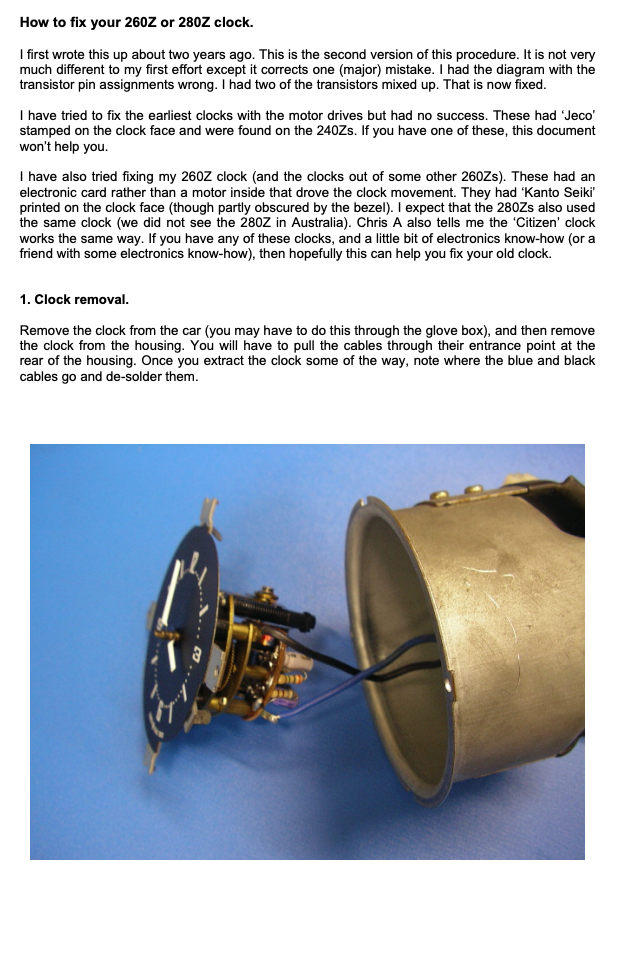
1 Screenshot

A number of people refer to this document for repairing the 280Z clock.

The thread where it was originally posted is no longer available so I'm posting it here in the tech articles. This is where is should be.


No credit on my part. That goes to E. Bettio for writing the article and Monkey Man for posting it

User Feedback

There are no reviews to display.

Account

Navigation

Search

Search

Configure browser push notifications

Chrome (Android)
  1. Tap the lock icon next to the address bar.
  2. Tap Permissions → Notifications.
  3. Adjust your preference.
Chrome (Desktop)
  1. Click the padlock icon in the address bar.
  2. Select Site settings.
  3. Find Notifications and adjust your preference.