240z glove box insert upgrade - Interior - Classic Z Car Club Skip to content

Built by enthusiasts

Keeping Classic Z knowledge on the road

Explore technical guides, restoration references, wiring information, and decades of practical experience contributed by the Classic Z Car Club community.

Also check out our Downloads and Microfiche!

  • Technical Guides Clear procedures, specifications, and troubleshooting help.
  • Restoration Reference Factory details, parts knowledge, and proven restoration practices.
  • Community Knowledge Experience preserved and shared by Z owners around the world.

240z glove box insert upgrade

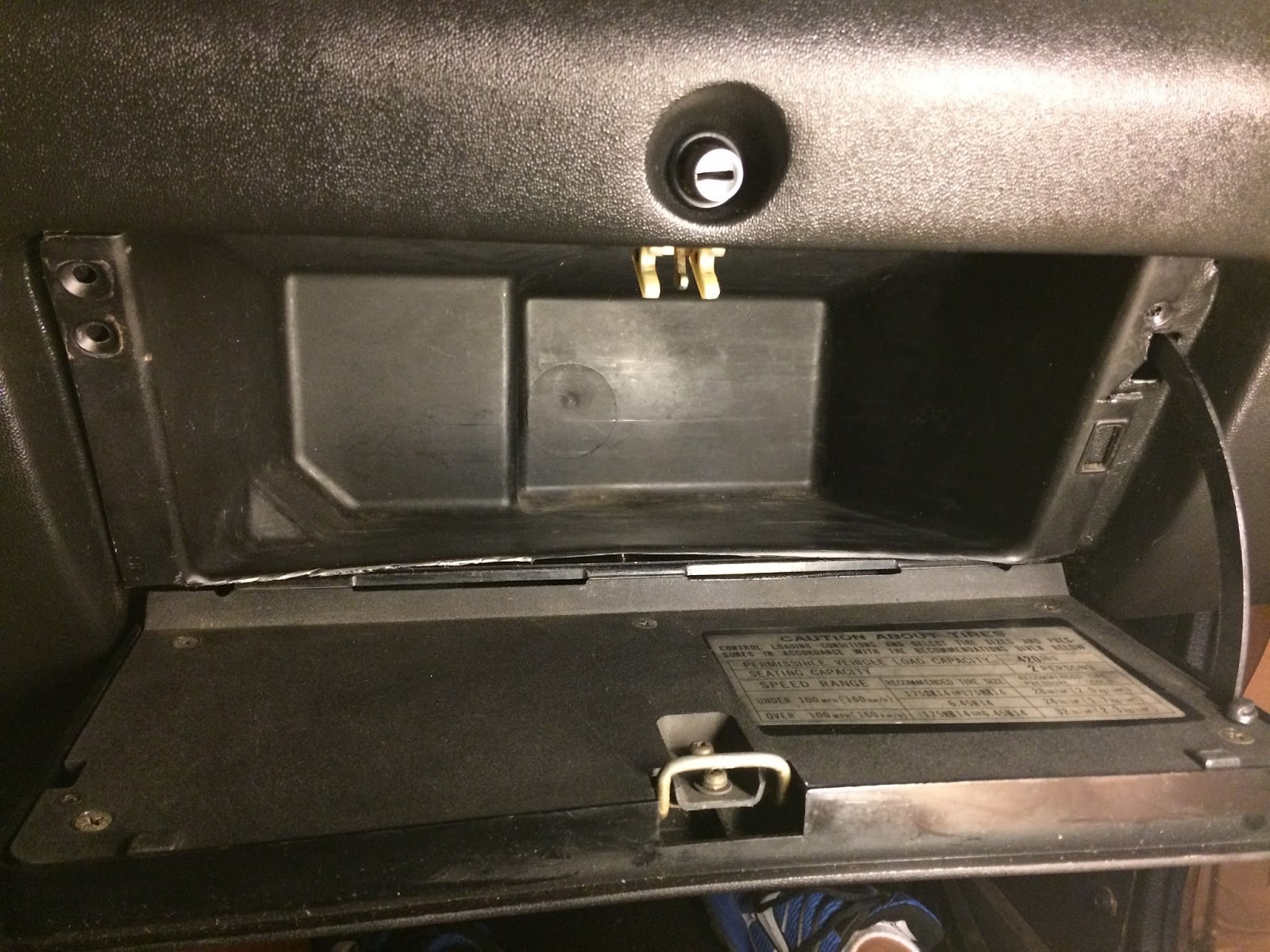
For all those with the original style paper/cardboard glove box insert (left image) in their 240z, I found a cheap and easy way to upgrade to a plastic insert from a later 280z (right image).  I picked my used 280z insert up for $10 on ebay a while back.

Glove Box, 70-73 240Z   280Z Glove Box Compartment
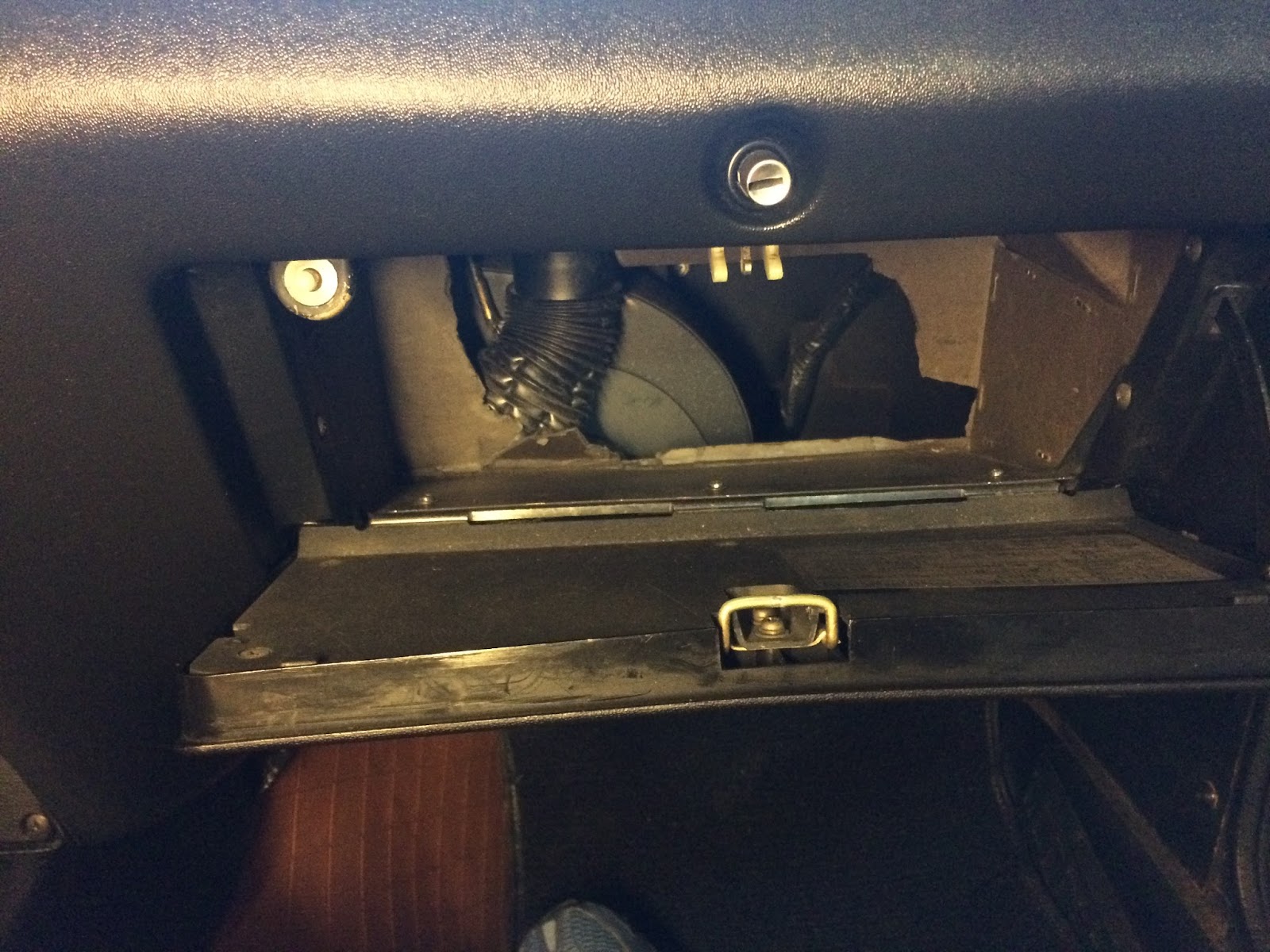
Here is the picture of what I started with.  A huge cut in the back of my cardboard insert from the prior owner.  Its only gotten bigger since I've owned the car
IMG_1740.JPG


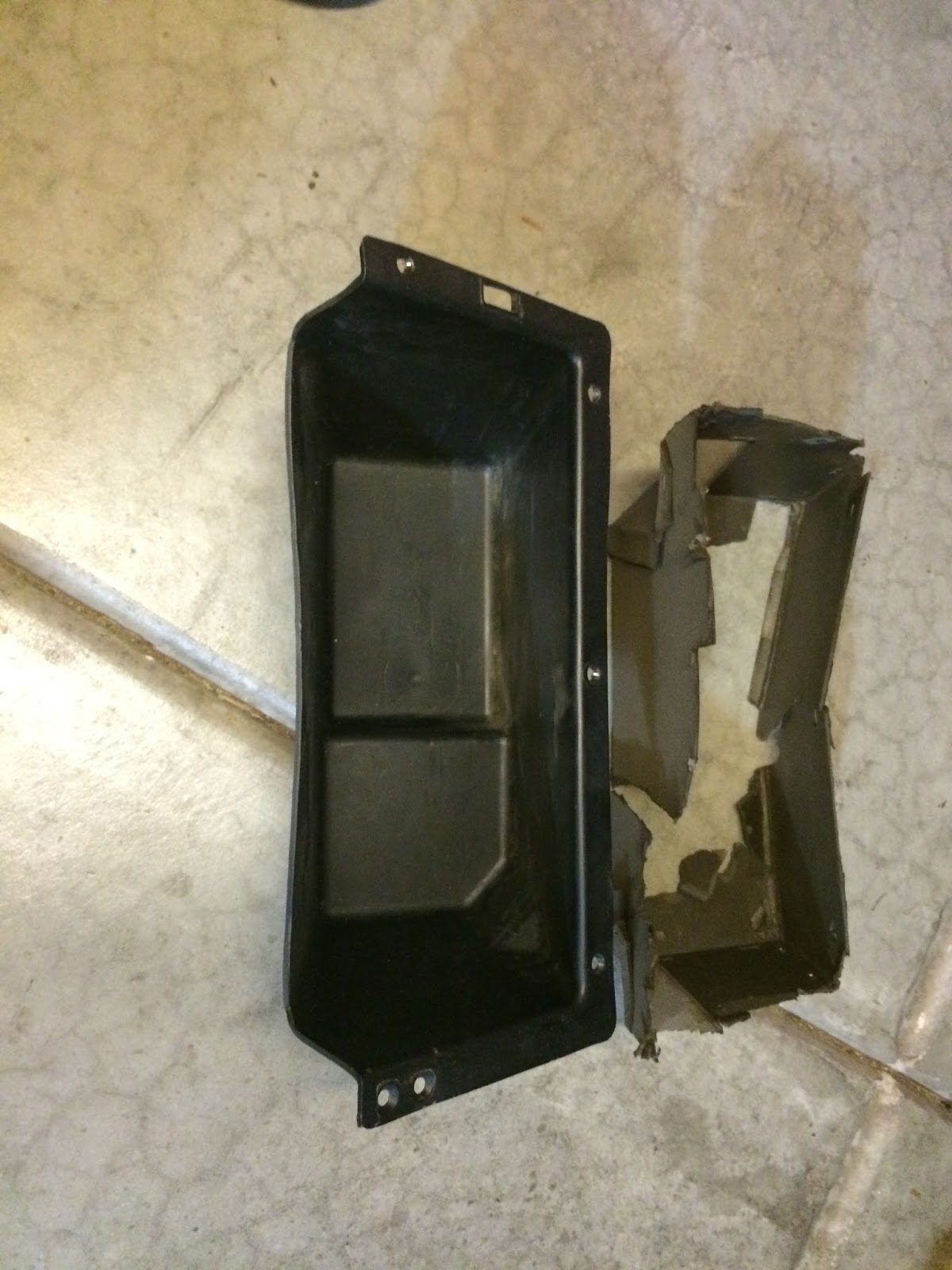
Old and new side by side.  The 280z plastic insert will need to be trimmed to fit.
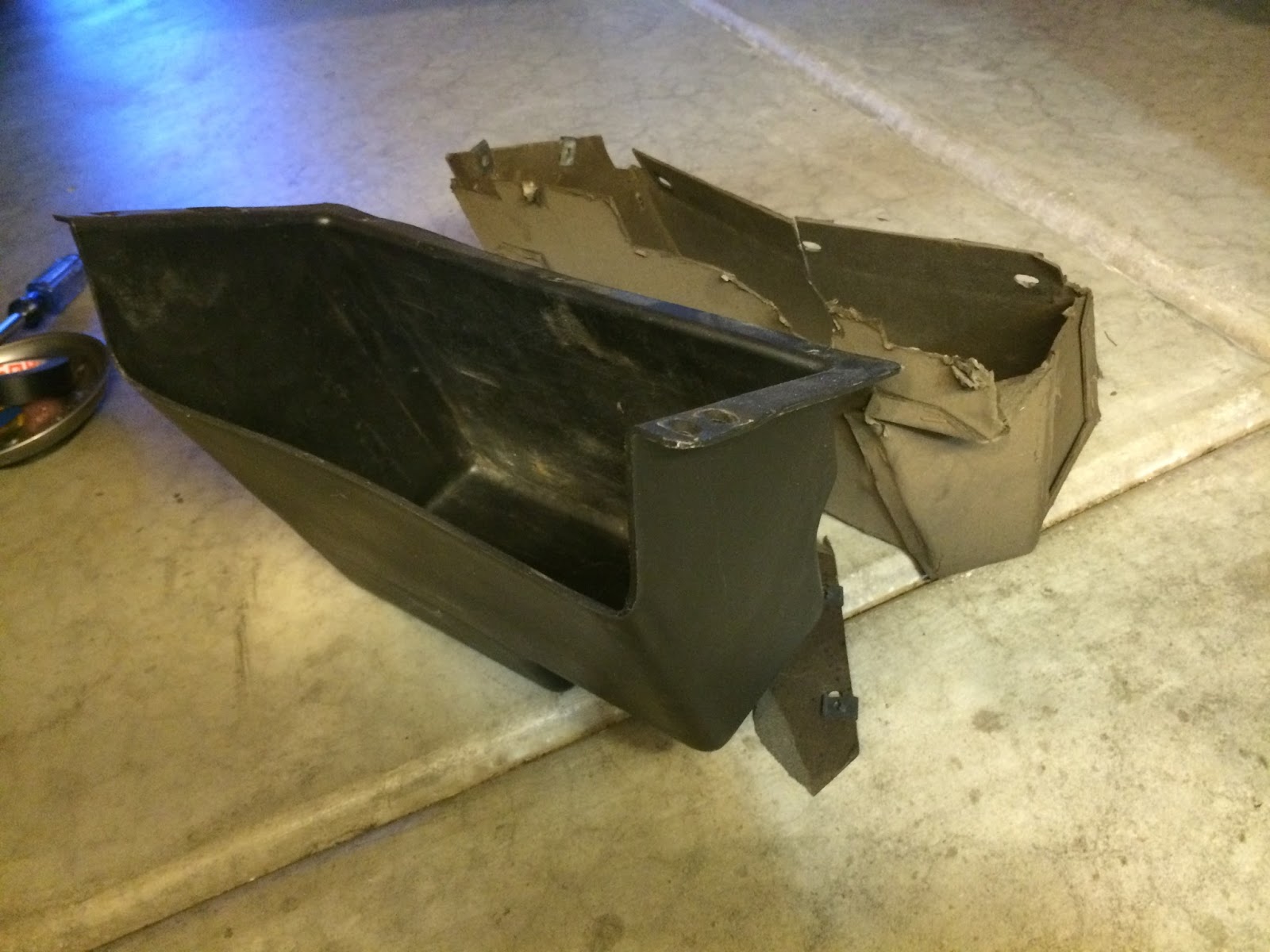
IMG_1741.JPG

 IMG_1742.JPG


There are various approaches, I chose to trim just the bottom tab and the made a new hole for the glove box door arm
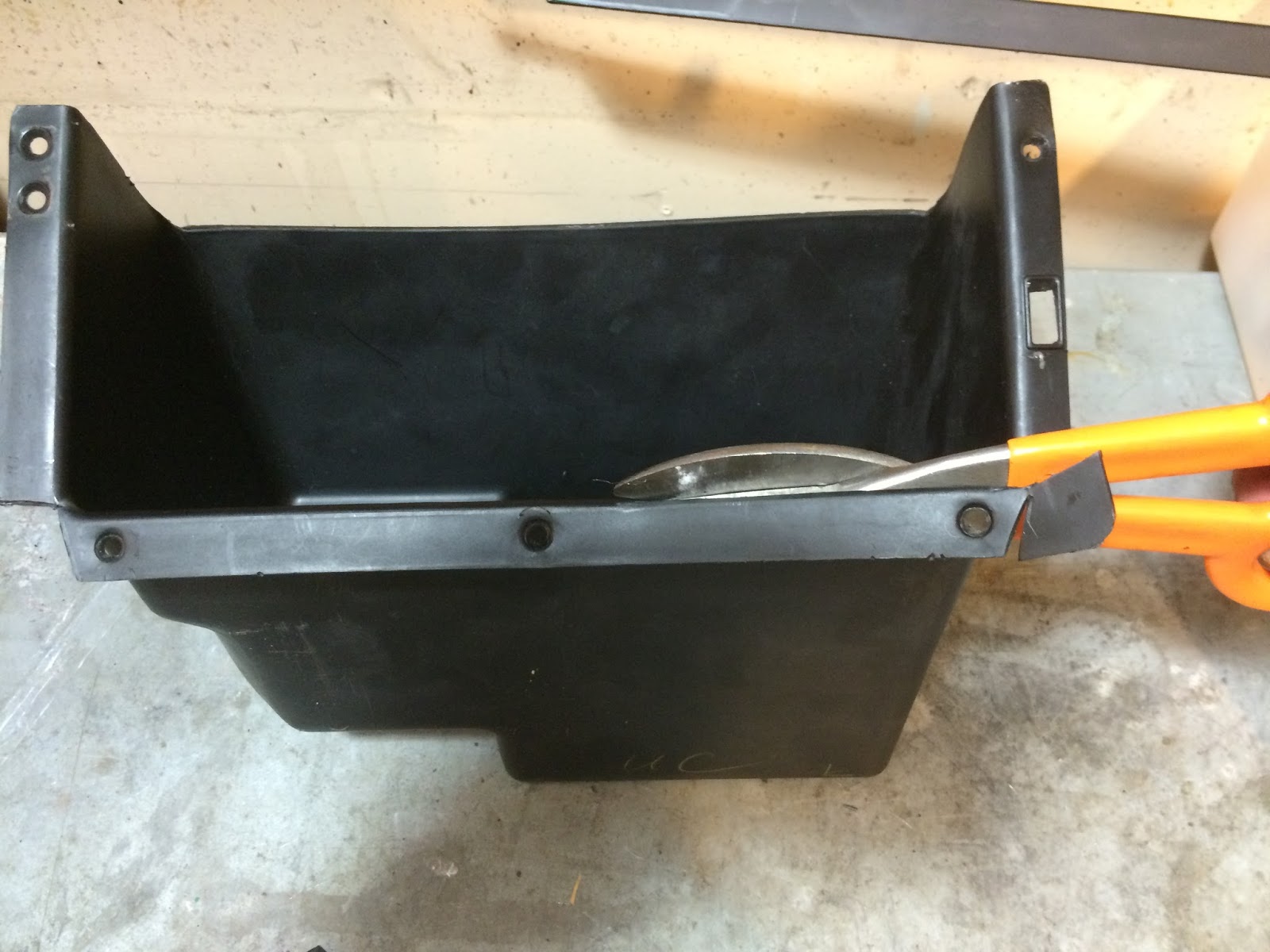
IMG_1744.JPG


The finished product is much nicer than what I had in there originally.  I did need to mount the glove box door first and then slide the new insert in.  I also put screws into these front holes to hold it better.  I probably could have trimmed down the side tabs as well and use the original holes, but this seemed like a much more secure way of mounting the insert.  I will probably look to finish the bottom edge better and possibly heat the plastic to shape it better.
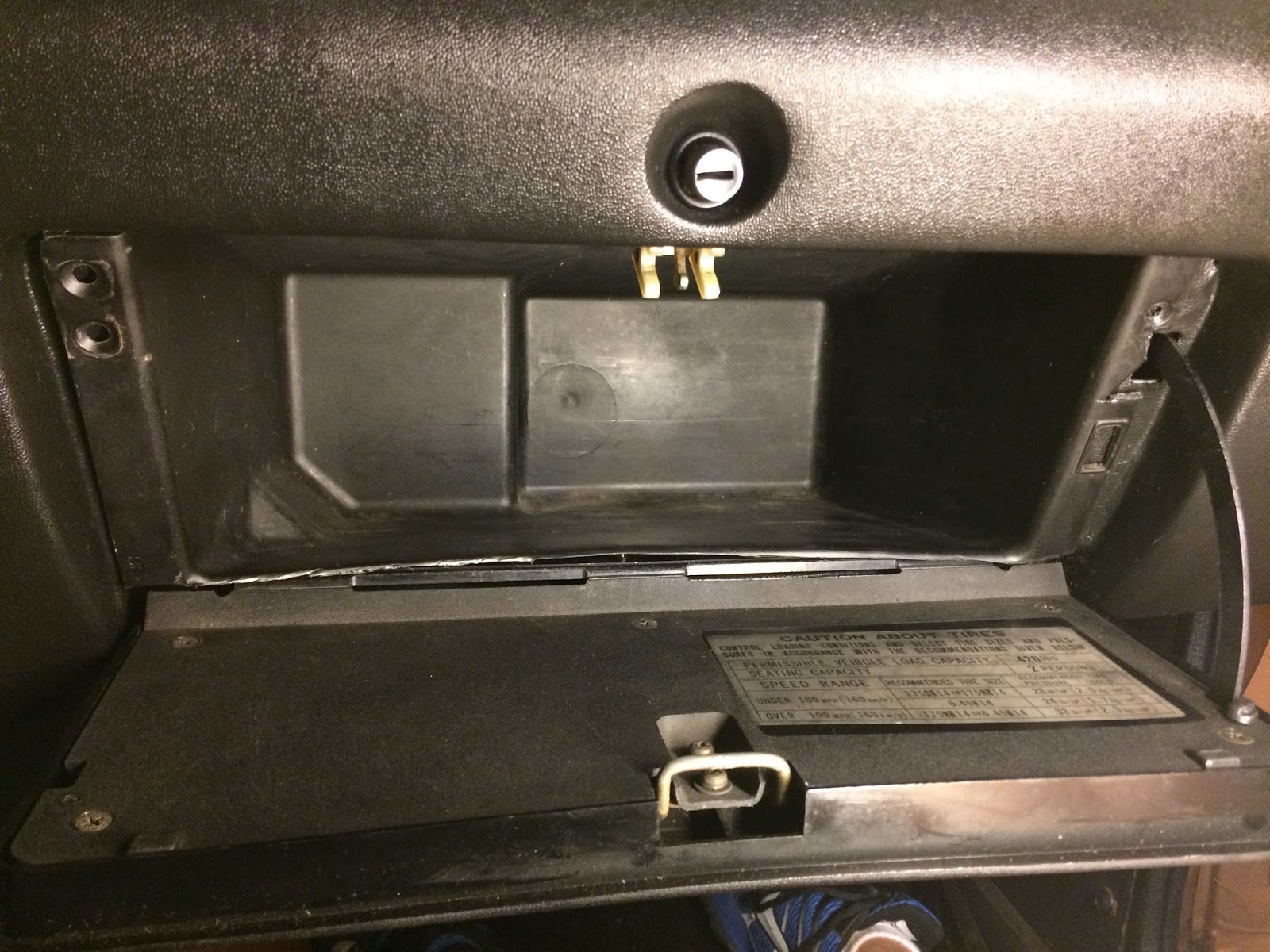
IMG_1745.JPG

User Feedback

Recommended Comments

There are no comments to display.

Create an account or sign in to comment

Account

Navigation

Search

Search

Configure browser push notifications

Chrome (Android)
  1. Tap the lock icon next to the address bar.
  2. Tap Permissions → Notifications.
  3. Adjust your preference.
Chrome (Desktop)
  1. Click the padlock icon in the address bar.
  2. Select Site settings.
  3. Find Notifications and adjust your preference.