What's Wrong with this Picture? - Open Discussions - Classic Z Car Club Skip to content

What's Wrong with this Picture?

Featured Replies

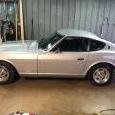
Here's something to lighten your day.  Until I bought a second 1971 240Z and had the two of them side-by-side, I may not have spotted it.  I know you more seasoned Zed Heads will get it.

IMG_2743.jpeg

  • Author

haha...it's the red one.  It's been on jack stands for awhile.  I removed the half shaft from one side.  Being new to Zeds, I thought I'd do one side at a time.

Ok @ConVerTT what's wrong with the pic? ?

Arms are backwards?  Channel should face upwards.  
 

My question would be are they just upside down or are they reversed right-left?

Edited by ConVerTT

Half shaft oriented the wrong way...

S
Sponsored
Advertisement
Go Ad-Free
No ad showing? Ads help support ClassicZcars. If you use an ad blocker, please consider allowing ads on this site or Go Ad-Free.
4 minutes ago, wheee! said:

Half shaft oriented the wrong way...

Doh ?‍♂️?‍♂️?‍♂️

Edited by ConVerTT

  • Author

Correct on the half shaft.   @ConVerTT had me thinking about the control arms, but FSM shows them to be correct.  To be honest, I didn't know that they were the same arm, but flipped for the left side.

53 minutes ago, ConVerTT said:

Arms are backwards?  Channel should face upwards.  
 

My question would be are they just upside down or are they reversed right-left?

Nope. Both rear arms are made the same. On one side, the channels face up and on the other side, they face down.

So about the half shafts... Functionally, does it really matter which way they go on?

I mean, they've got U-joints at both ends, and the elongation/compression joint shouldn't care. I'm going to keep putting them on the right way, but is there are reason it really matters?

1 minute ago, wadelester said:

@ConVerTTI didn't know that they were the same arm, but flipped for the left side.

me neither I guess ??

  • Author

@Captain Obvious I was wondering about the half shaft too, but I'll flip it around.  It's a good physics question for sure.

Edited by wadelester

Create an account or sign in to comment

Account

Navigation

Search

Search

Configure browser push notifications

Chrome (Android)
  1. Tap the lock icon next to the address bar.
  2. Tap Permissions → Notifications.
  3. Adjust your preference.
Chrome (Desktop)
  1. Click the padlock icon in the address bar.
  2. Select Site settings.
  3. Find Notifications and adjust your preference.