Skip to content

What are these Rims?

Featured Replies

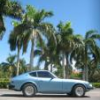
When I got my Z, they were supposed to come with 4 extra "stock" rims, aside from the ones that are on the car now. Anyways, the guy kind of flaked out on me and I was left with only the 2 that were in the car at purchase.

I was kind of bummed to only have 2 now, because I wanted them on the car if they were originals. I do like the look of them and will hope to come by 2 others.

So, are they the original 280Z stock rims?

The positive is that all the tires on the rims are in really good condition, so I won't have to buy new ones anytime soon.

Thanks!

sparerim.jpg

This one was the spare in the well.

stockrim.jpg

Rim in question

alltires.jpg

All three

The spare looks like the "stock" Steel wheel for the 240's.

The other two are mags, Beandip (Gary's) car has those. Don't recall manufacturer's name nor "name" of the rim. He might know or Arne.

FWIW

E

The mags look cool as hell... I'd find two more and put them on the car :D

The steel doesn't quite look like my 280 wheels... missing hubcap tabs? What exactly is the difference?

  • Author

Yes, I do like them a lot. I wonder where I can find a pair of those...?

Are you referring to the steel hubcap for the spare?

They appear to be Western brand / Turbine or Turbine 2. I have a set exactly like them waiting to be polished and mounted. (IIRC, I think Gary's are a bit different with the vanes going the whole way 'in' past the lugs.) They are available out there somewhat commonly and reasonably priced if you have some patience.

I stand corrected.... I believe "Cyclone" is correct versus the "Turbine" which we often call them.

  • Author

Well, we'll see if I can find 2 more, to make a full set.

If not, I suppose I will sell them to someone else who needs them and can enjoy them.

Thanks for all the input guys!

Create an account or sign in to comment

Remove Ads

Important Information

By using this site, you agree to our Privacy Policy and Guidelines. We have placed cookies on your device to help make this website better. You can adjust your cookie settings, otherwise we'll assume you're okay to continue.

Account

Navigation

Search

Search

Configure browser push notifications

Chrome (Android)
  1. Tap the lock icon next to the address bar.
  2. Tap Permissions → Notifications.
  3. Adjust your preference.
Chrome (Desktop)
  1. Click the padlock icon in the address bar.
  2. Select Site settings.
  3. Find Notifications and adjust your preference.