Skip to content

Vented Service Doors

Featured Replies

I saw this set of ventilated service doors for sale on eBay. I'm wondering if these are a factory option? I've never seen them before so I assume somebody fabricated them but they look really well made. Considering the occasional under-hood heat issues, they may be a good idea.

post-14988-1415080244155_thumb.jpg

Not sure how much air they would flow thru those little grills...but hey...every little bit helps (LOL) Looks kind of cool too...

webdawg1

I dont think they are factory (at least not Datsun factory), Motorsport sells them.

I've got them on my car.

You remove your old inspection lids, send them to MSA, and they send you a replacement set. You'll have to sand, prime and paint them yourself.

My advice would be to make sure the fitment was right and that they give you all the pieces (the first set they sent me was missing the latch pieces).

Those are just stock inspection lids. They fit easily into a louver press. I had a set of them punched by my buddy's shop a few years ago. I thought they looked cheezy and sold them. (JMO)

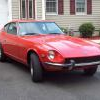
Here ya go! I am actually going to take these off this spring and replace them with standard ones...

post-8920-14150802479597_thumb.jpg

Here ya go! I am actually going to take these off this spring and replace them with standard ones...
Why? For me, I just didn't like the way they looked on my car although they do look good on yours. Maybe the color makes a difference.

They look ok, but I need to paint my doors this spring as I am going to put different mirrors on the car (the guy that put these on put them waaay forward since they suck to see anything out of). While I am going to have a set of the standard inspection door covers painted at the same time. I have the standard ones on the Lime Z, and just prefer the look of them to these :classic: If I ever want to go back to these, I'll still have them in the parts pile!

thanks doug ithink they would look better if they were angled back,is there really a yellow zed club

post-14257-14150802480567_thumb.jpg

Create an account or sign in to comment

Remove Ads

Important Information

By using this site, you agree to our Privacy Policy and Guidelines. We have placed cookies on your device to help make this website better. You can adjust your cookie settings, otherwise we'll assume you're okay to continue.

Account

Navigation

Search

Search

Configure browser push notifications

Chrome (Android)
  1. Tap the lock icon next to the address bar.
  2. Tap Permissions → Notifications.
  3. Adjust your preference.
Chrome (Desktop)
  1. Click the padlock icon in the address bar.
  2. Select Site settings.
  3. Find Notifications and adjust your preference.