Some of my faves! - Open Discussions - Classic Z Car Club Skip to content

Some of my faves!

Featured Replies

Sulio, hello.

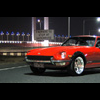
Great photos. Have you seen all of these cars personally, or did you pull the images off the net? My favorites: The black 260Z and jet photo (those auxiliary driving lights give the front end a whole different look), the silver Z parked at the roadside at sunset, the yellow z with Panasports in front of the hillside pasture, the #8 white with blue stripes racecar, and, of course, the G-nose! Thanks for sharing them!

Gary S.

^agreed.... i've been wondering about the placement of aux lights (or hi-beams if i switch to HID) and i think i new have a solution!

  • Author

Hi guys, these pics have just been taken off the net, I have'nt seen the cars in person. Yer those lights on the black car do suit it. I've also been thinking for some time about these lights and whether to go circular or squarish shape as many do??? My pick would be to use the auxilary lights that are mounted on the new Mini Coopers as they are a nice size and have the nice chrome backing that suits the Z.

FM_drivinglights1_md.jpg

nmx4074a.jpg

  • 2 weeks later...
S
Sponsored
Advertisement
Go Ad-Free
No ad showing? Ads help support ClassicZcars. If you use an ad blocker, please consider allowing ads on this site or Go Ad-Free.

All time hottest S30? The Monza Mystery Wide Body, of course! (don't ask me about this car, I've been on a quest for the longest time to find out information, and so far, these three pictures stolen from a guy that stole them from a guy that didn't know where they came from are all there is)

monzamysteryz1.jpg

monzamysteryz2.jpg

monzamysteryz3.jpg

Here are a few from my screen-saver file

post-4148-1415079950366_thumb.jpg

post-4148-14150799503887_thumb.jpg

post-4148-14150799504088_thumb.jpg

post-4148-14150799504423_thumb.jpg

I like this one. Enjoying the ride! :love:

(makes a nice desktop pic)

post-10534-1415079950731_thumb.jpg

S
Sponsored
Advertisement
Go Ad-Free
No ad showing? Ads help support ClassicZcars. If you use an ad blocker, please consider allowing ads on this site or Go Ad-Free.

Create an account or sign in to comment

Account

Navigation

Search

Search

Configure browser push notifications

Chrome (Android)
  1. Tap the lock icon next to the address bar.
  2. Tap Permissions → Notifications.
  3. Adjust your preference.
Chrome (Desktop)
  1. Click the padlock icon in the address bar.
  2. Select Site settings.
  3. Find Notifications and adjust your preference.