Pantera Hatch for your Z - Internet Finds - Classic Z Car Club Skip to content
Be cautious of scammers! If you are asked to send Zelle, Paypal, or even gift cards it is likely a scam. Be smart and talk on the phone and trade real photos. Check every profile and never do business with a member who joined less than 6 months ago.

Pantera Hatch for your Z

Featured Replies

It looks like it might be a neat idea, but if I were thinking about actually doing that to my car, I would want to see a finished job first.

thx

yeah casue its reducing your interior space, 3 quarter vision and fu%*ing your aerodynamics.

  • 2 weeks later...

I've seen one done before, and could show a pic.

I wont, however, since the car was modified so poorly it would almost make you violently ill.

S
Sponsored
Advertisement
Go Ad-Free
No ad showing? Ads help support ClassicZcars. If you use an ad blocker, please consider allowing ads on this site or Go Ad-Free.

Nope not me. Not that i know of anywayz LOL

i am getting a car nthat has one installed. But from what i here (never seen the car yet) its a piece of crap.

If and when i get it if somebody wanted the hatch they could buy it cheap.

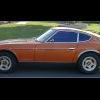
Here is a picture of what one looks like on a car. I got it from Ninja240's gallery on HybridZ. By the way the gallery on HybridZ is really lame. Although I wouldn't put one on my car, I guess it is a novel idea.

post-7027-14150795254542_thumb.jpg

Here's the real thing :). Last Saturday at a local car show here in Champaign.

post-4028-14150795256636_thumb.jpg

yeah casue its reducing your interior space, 3 quarter vision and fu%*ing your aerodynamics.

Brett you are 100% correct, but an interesting point about the Karmen tail or as this one is called Pantera after the car, is that it does course more aero drag, but it stops the air flow following the falling body line, which decreases rear lift.

Steven

Create an account or sign in to comment

Account

Navigation

Search

Search

Configure browser push notifications

Chrome (Android)
  1. Tap the lock icon next to the address bar.
  2. Tap Permissions → Notifications.
  3. Adjust your preference.
Chrome (Desktop)
  1. Click the padlock icon in the address bar.
  2. Select Site settings.
  3. Find Notifications and adjust your preference.