Skip to content

NEW PICS!!! In sote now...

Featured Replies

Hi All,

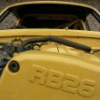
I have just taken and uploaded a few fresh pics of my little 240Z.

Please check my photo gallery and visit them (...no 2 & 3 star ratings please...)

Hope you all like them,

Cuong Nguyen

Very nice Cuong, easily deserves 10.

**********

You must be getting excited!! Not long now..

Cuong,

If someone gives you a 2 or 3 star rating... I'll kick them off this site. :D No, just kidding. But, seriously, everything you do to that car is TOP NOTCH. I saw the stainless exhaust and became that much more envious of you.

Although I don't think I'll modify my drive-train as much as you have (sticking with an L-series engine), your car is an inspiration to me. I can only hope that I will get that far and done similar quality work someday.

I'm just starting my restoration, and if I can make mine look HALF as nice as yours (in a stock sort of way), I'll be happy that I did a good job!

Cuong,

Will this actually be a road car? Or just for the track? The only reason I ask is that it has a roll cage and apparently only a single seat..?

I think cuong intends to use it as a road car, and I am sure he will put the other seat in at some stage, after all he trimmed the car with brown carpet so his passengers fear wont stain as much. ROFL

  • Author

Hi That Ozzy Guy, 240Z, Mike, mdbrandy, Ivan, halz, Zkid, and All,

Thank you for all your complements and kind words, it is very nice to know that other fellow z owners enjoy the car as much as I have been building it. It is very rewarding when it comes to the final stages and recognition from others makes it all worthwhile.

The car is finally running (makes it sooo much easier to drive it around the yard than pushing it!) and I do plan to "try" and get it road legal.

I will keep you all posted as work progresses. Take care,

Cuong Nguyen

Create an account or sign in to comment

Remove Ads

Important Information

By using this site, you agree to our Privacy Policy and Guidelines. We have placed cookies on your device to help make this website better. You can adjust your cookie settings, otherwise we'll assume you're okay to continue.

Account

Navigation

Search

Search

Configure browser push notifications

Chrome (Android)
  1. Tap the lock icon next to the address bar.
  2. Tap Permissions → Notifications.
  3. Adjust your preference.
Chrome (Desktop)
  1. Click the padlock icon in the address bar.
  2. Select Site settings.
  3. Find Notifications and adjust your preference.