uploaded new pictures - Introductions - Classic Z Car Club Skip to content

uploaded new pictures

Featured Replies

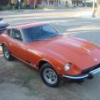
Hello everyone: I just got some pics of my Z, but I'm not too sure how to get them on a posted message.::tapemouth

You just need to upload them from your harddrive to an on-line site such as ImageShack.us, copy the pic, and paste to your post.

  • Author
Hello everyone: I just got some pics of my Z, but I'm not too sure how to get them on a posted message.::tapemouth[/quote

<a href="http://s690.photobucket.com/albums/vv263/VITAMIN-Z/?action=view&current=user19034_pic1147_1243701071.jpg" target="_blank"><img src="http://i690.photobucket.com/albums/vv263/VITAMIN-Z/user19034_pic1147_1243701071.jpg" border="0" alt="Datsun"></a>

<a href="http://s690.photobucket.com/albums/vv263/VITAMIN-Z/?action=view&current=user19034_pic1149_1243792744.jpg" target="_blank"><img src="http://i690.photobucket.com/albums/vv263/VITAMIN-Z/user19034_pic1149_1243792744.jpg" border="0" alt="Datsun"></a>

<a href="http://s690.photobucket.com/albums/vv263/VITAMIN-Z/?action=view&current=user19034_pic1148_1243701071.jpg" target="_blank"><img src="http://i690.photobucket.com/albums/vv263/VITAMIN-Z/user19034_pic1148_1243701071.jpg" border="0" alt="Datsun"></a>

<a href="http://s690.photobucket.com/albums/vv263/VITAMIN-Z/?action=view&current=user19034_pic1146_1243701071.jpg" target="_blank"><img src="http://i690.photobucket.com/albums/vv263/VITAMIN-Z/user19034_pic1146_1243701071.jpg" border="0" alt="Datsun"></a>

<a href="http://s690.photobucket.com/albums/vv263/VITAMIN-Z/?action=view&current=1230081550.jpg" target="_blank"><img src="http://i690.photobucket.com/albums/vv263/VITAMIN-Z/1230081550.jpg" border="0" alt="Datsun"></a>

<a href="http://s690.photobucket.com/albums/vv263/VITAMIN-Z/?action=view&current=1230081553a.jpg" target="_blank"><img src="http://i690.photobucket.com/albums/vv263/VITAMIN-Z/1230081553a.jpg" border="0" alt="Datsun"></a>

Hopefully this works.

Edited by VITAMIN Z

S
Sponsored
Advertisement
Go Ad-Free
No ad showing? Ads help support ClassicZcars. If you use an ad blocker, please consider allowing ads on this site or Go Ad-Free.
Hopefully this works.

All I see are flashing dots. Are you trying to hypnotize us?:)

The best way to attach pictures is to click on "Go Advanced" and then scroll down to "Manage Attachments" and upload your pictures. Just be sure to stay within the picture size limits, or they won't upload.

-Mike

  • Author

I need to sharpen my computer skills, sorry about the hypnotizing dots!

Nice looking Z there George. Looks like it is in pretty good shape.

  • Author

Yeah, thanks... I am really lucky to have it, specially since I have seen some of the rough examples that some members here have acquire and fixed! All I need now to get it on the road is new tires and brakes.

Create an account or sign in to comment

Account

Navigation

Search

Search

Configure browser push notifications

Chrome (Android)
  1. Tap the lock icon next to the address bar.
  2. Tap Permissions → Notifications.
  3. Adjust your preference.
Chrome (Desktop)
  1. Click the padlock icon in the address bar.
  2. Select Site settings.
  3. Find Notifications and adjust your preference.