Pic request JDM z's and the S20 DOHC motor - Page 2 - Open Discussions - Classic Z Car Club Skip to content

Pic request JDM z's and the S20 DOHC motor

Featured Replies

  • Author

Thanks everyone for the replies. I already have the kits. 1973 Skyline GTR and the Z432. The pics have helped and I will try doing some searches as well. Will post pics when they are done.

Thanks everyone for the replies. I already have the kits. 1973 Skyline GTR and the Z432. The pics have helped and I will try doing some searches as well. Will post pics when they are done.

All right Master Builder !

Koun ~Good Luck :)

  • 1 month later...
  • Author

Hey there. This is Brandon. Just wanted to show a couple pics of the 240z model in progress. So far I have done most of the engine, the watanabes, and the body.

The body was painted with two coats of primer after sanding the entire model. Then 5 coats of camel yellow with wetsanding (1200 grit) in b/t coats. Then 3 coats of clear with wetsand (1500) in b/t. Painted the gap lines after masking them all off. Followed by 1 more coat of clear and final wetsand with 2000 grit and hand buffed then waxed with 3M compound. It looks better than most cars :)

The trickiest part was masking off the black rubber around the front and back windows and then masking a smaller chrome strip within it to replicate the real cars trim.

<a href="http://photobucket.com" target="_blank"><img src="http://i197.photobucket.com/albums/aa58/rvae34/IMG_6860.jpg" border="0" alt="Photo Sharing and Video Hosting at Photobucket"></a>

<a href="http://photobucket.com" target="_blank"><img src="http://i197.photobucket.com/albums/aa58/rvae34/IMG_6861.jpg" border="0" alt="Photo Sharing and Video Hosting at Photobucket"></a>

<a href="http://photobucket.com" target="_blank"><img src="http://i197.photobucket.com/albums/aa58/rvae34/IMG_6863.jpg" border="0" alt="Photo Sharing and Video Hosting at Photobucket"></a>

<a href="http://photobucket.com" target="_blank"><img src="http://i197.photobucket.com/albums/aa58/rvae34/IMG_6916.jpg" border="0" alt="Photo Sharing and Video Hosting at Photobucket"></a>

<a href="http://photobucket.com" target="_blank"><img src="http://i197.photobucket.com/albums/aa58/rvae34/IMG_6920.jpg" border="0" alt="Photo Sharing and Video Hosting at Photobucket"></a>

<a href="http://photobucket.com" target="_blank"><img src="http://i197.photobucket.com/albums/aa58/rvae34/IMG_6924.jpg" border="0" alt="Photo Sharing and Video Hosting at Photobucket"></a>

<a href="http://photobucket.com" target="_blank"><img src="http://i197.photobucket.com/albums/aa58/rvae34/IMG_6932.jpg" border="0" alt="Photo Sharing and Video Hosting at Photobucket"></a>

  • Author

Worked on it some more last night. Removed 1/3 of the suspension for the wheels to look right. Added the spoiler, rear lights and C pillar badges.

<a href="http://photobucket.com" target="_blank"><img src="http://i197.photobucket.com/albums/aa58/rvae34/IMG_6955.jpg" border="0" alt="Photo Sharing and Video Hosting at Photobucket"></a>

<a href="http://photobucket.com" target="_blank"><img src="http://i197.photobucket.com/albums/aa58/rvae34/IMG_6956.jpg" border="0" alt="Photo Sharing and Video Hosting at Photobucket"></a>

<a href="http://photobucket.com" target="_blank"><img src="http://i197.photobucket.com/albums/aa58/rvae34/IMG_6957.jpg" border="0" alt="Photo Sharing and Video Hosting at Photobucket"></a>

<a href="http://photobucket.com" target="_blank"><img src="http://i197.photobucket.com/albums/aa58/rvae34/IMG_6958.jpg" border="0" alt="Photo Sharing and Video Hosting at Photobucket"></a>

S
Sponsored
Advertisement
Go Ad-Free
No ad showing? Ads help support ClassicZcars. If you use an ad blocker, please consider allowing ads on this site or Go Ad-Free.
  • Author

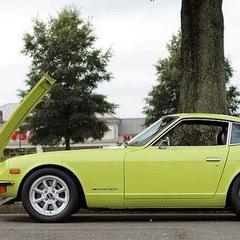
few pics of the other 240z model in progress. Replica of the green car.

<a href="http://photobucket.com" target="_blank"><img src="http://i197.photobucket.com/albums/aa58/rvae34/DSC00998.jpg" border="0" alt="Photo Sharing and Video Hosting at Photobucket"></a>

<a href="http://photobucket.com" target="_blank"><img src="http://i197.photobucket.com/albums/aa58/rvae34/DSC00997.jpg" border="0" alt="Photo Sharing and Video Hosting at Photobucket"></a>

<a href="http://photobucket.com" target="_blank"><img src="http://i197.photobucket.com/albums/aa58/rvae34/DSC01028.jpg" border="0" alt="Photo Sharing and Video Hosting at Photobucket"></a>

  • 2 weeks later...
  • Author

<a href="http://photobucket.com" target="_blank"><img src="http://i197.photobucket.com/albums/aa58/rvae34/IMG_7092.jpg" border="0" alt="Photo Sharing and Video Hosting at Photobucket"></a>

<a href="http://photobucket.com" target="_blank"><img src="http://i197.photobucket.com/albums/aa58/rvae34/IMG_7065.jpg" border="0" alt="Photo Sharing and Video Hosting at Photobucket"></a>

That is a fantastic effort! Thanks for sharing. Can you make one to match my car? It would be alot easier, just give it a bad paint job and add a few door dings here and there...a little rust around the rear hatch for realism :)

S
Sponsored
Advertisement
Go Ad-Free
No ad showing? Ads help support ClassicZcars. If you use an ad blocker, please consider allowing ads on this site or Go Ad-Free.

Create an account or sign in to comment

Account

Navigation

Search

Search

Configure browser push notifications

Chrome (Android)
  1. Tap the lock icon next to the address bar.
  2. Tap Permissions → Notifications.
  3. Adjust your preference.
Chrome (Desktop)
  1. Click the padlock icon in the address bar.
  2. Select Site settings.
  3. Find Notifications and adjust your preference.