Skip to content

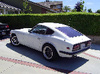
DOHC L24? i love this z

Featured Replies

its not a 432, they said it has a OS Giken TC24-B1 Head. anybody know the hp and specs of this engine? also what is that black car in the video, following behind the Z? i think its an rx-3 but im not sure.

Thats an inline-6 though in the video, and those corollas are inline-4s. It says SD on there, but the only SD engines from Nissan are diesel.

Not sure what that thing is.

Thats an inline-6 though in the video, and those corollas are inline-4s. It says SD on there, but the only SD engines from Nissan are diesel.

Not sure what that thing is.

I believe Arne is answering the question of what vehicle is following behind it.

I believe Arne is answering the question of what vehicle is following behind it.
Yeah, I should have quoted the question when I answered.

Amazing, I have seen pictures of these but not the real thing in a Z or Skyline for that matter.

There is a couple of videos around of a 510 with with a cross flow DOHC cam OS Giken head.

That is a real treat....

Thanks for the link to the video.

also what is that black car in the video, following behind the Z? i think its an rx-3 but im not sure.

Porsche 911- just pause the video as it comes close and you'll see.

  • Author

so its a corolla eh? thats so cool. thanks arne

anybody have info on the os giken head yet?

  • Author
Porsche 911- just pause the video as it comes close and you'll see.

oops i was talking about the one 3 minutes into the video:stupid:. but you are also correct.

wow that s30 is awesome, is that really a dohc? thats got to be a very rare find.

Those guys sure like to rev their motors a lot. Sounds like an angry dog getting ready to chomp.

Create an account or sign in to comment

Remove Ads

Important Information

By using this site, you agree to our Privacy Policy and Guidelines. We have placed cookies on your device to help make this website better. You can adjust your cookie settings, otherwise we'll assume you're okay to continue.

Account

Navigation

Search

Search

Configure browser push notifications

Chrome (Android)
  1. Tap the lock icon next to the address bar.
  2. Tap Permissions → Notifications.
  3. Adjust your preference.
Chrome (Desktop)
  1. Click the padlock icon in the address bar.
  2. Select Site settings.
  3. Find Notifications and adjust your preference.