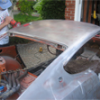
Take a look at this Ebay car. - Page 2 - Open Chit Chat - Classic Z Car Club Skip to content

Take a look at this Ebay car.

Featured Replies

Well, my 240 is Datsun Red (inbetween orange and red) and I'm white/black...I think most of the reds are black/black and white/black like mine...anyone else?

Why put the pictures on the server? It's not very hard to go to the link, and they are just taking up space for no reason at all, unless you are donating some $$$ to Mike's cause.

The thread will remain after the Ebay auction is gone. It is ALWAYS a good idea to post good Z pics/auction particulars rather than rely any other server. Even enthusiast sites come and go, but if you save it here, guess where you'll be able to find it later...Texas Z has a collection of now defunct sites that are a serious boon to research.

Lets not forget Mike has been calling for event pics, so space is evidently not an issue-in addition,

Will

I had two orange/red - both black interiors.

Seems the white interior is associated with blue exterior, red with white exterior (frequently), tan with green. Just some themes I've noticed.

TexasZ has a collection of now defunct sites that are a serious boon to research.

Will

The bulk of the stuff TexasZ has came from the stuff I have archived at www.V8-240Z.com Click the morphing Z at the top of the page and it will take you to a folder area behind the main page.

The bulk of the stuff TexasZ has came from the stuff I have archived at www.V8-240Z.com Click the morphing Z at the top of the page and it will take you to a folder area behind the main page.

<3 thanks for the info!

S
Sponsored
Advertisement
Go Ad-Free
No ad showing? Ads help support ClassicZcars. If you use an ad blocker, please consider allowing ads on this site or Go Ad-Free.
I find the tan interior with the red shell a bit odd. It goes much better with the original colour (green).

The current color combo reminds me of a Ferrari. Looks cool to me, but I do like the green / tan package as well.

Create an account or sign in to comment

Account

Navigation

Search

Search

Configure browser push notifications

Chrome (Android)
  1. Tap the lock icon next to the address bar.
  2. Tap Permissions → Notifications.
  3. Adjust your preference.
Chrome (Desktop)
  1. Click the padlock icon in the address bar.
  2. Select Site settings.
  3. Find Notifications and adjust your preference.