Skip to content

Side Stripes..before and after

Featured Replies

Anyone have pictures of a silver Z with stripes. I like the stripes but am not sure of what color would look best on the silver car.

Prepare for story about Mr K. himself standing on a dock removing badges ...

Thanks for confirming my earlier statement, I knew someone with one of the first originals and I remember he was contemplating not putting the Datsun side badging like the picture his dad had purchasing the car.

manny1973 I've seen black stripes on silver never seen white on silver. theirs a guy in Denver with the black stripes on silver it looks good, I think white would just blend into the silver and would not look right. Beside the nice thing about vinyls is if you don't like it take it off

Edited by ajmcforester

Thanks for confirming my earlier statement, I knew someone with one of the first originals and I remember he was contemplating not putting the Datsun side badging like the picture his dad had purchasing the car.

I wouldn't say that I confirmed your statement. In fact, I've always assumed the badge switching thing was a tall tale but it has certainly been repeated many times.

I wouldn't say that I confirmed your statement. In fact, I've always assumed the badge switching thing was a tall tale but it has certainly been repeated many times.

Hey I remember watching a special about the z and was stated their, but with no pictures of it happening and no pile of badges it could be a wise tale.

  • Author

Wow,

My old thread lives on........

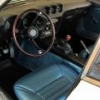
As requested here is a picture of a Silver 240 with stripes. Also, here's my 71Green with stripes.

240zshow001.jpg

zzzzzzzz0808080012.jpg

2574621040_acb6c129e0_b.jpg

This was my car the day I purchased it...with stripes.. yes I know they are in the wrong place...PO did this.

Now here my car.

3207589185_fd404af75f_b.jpg

It really depends on what you like.

I am glad they are not on there... HATE those things... in fact it was one of the requirements when I was looking for my Z.

Create an account or sign in to comment

Remove Ads

Important Information

By using this site, you agree to our Privacy Policy and Guidelines. We have placed cookies on your device to help make this website better. You can adjust your cookie settings, otherwise we'll assume you're okay to continue.

Account

Navigation

Search

Search

Configure browser push notifications

Chrome (Android)
  1. Tap the lock icon next to the address bar.
  2. Tap Permissions → Notifications.
  3. Adjust your preference.
Chrome (Desktop)
  1. Click the padlock icon in the address bar.
  2. Select Site settings.
  3. Find Notifications and adjust your preference.