Skip to content

HOT HOT Fuse

Featured Replies

Anyone know what runs off the Flasher fuse in a 240Z?

I 've got a big electric issue with the Flasher fuse, the amp gauge reads +ve and the indicators work till this fuse blows. It gets so hot the fuse holders have melted the plastic and I burnt my finger as solder ran out of the fuse!!!

Depending on the year most of your tail,brake,marker light's go thru the hazard switch. I just had the same problem this week. It was a two part problem. first the fuse holder had burned due to constant heat,bimetal corrosion, and age. After I fixed that I found my flasher switch had a lot corrosion on it's points. I could not find a replacement switch so I got some contact cleaner and a contact file and fixed mine myself. It seems to be working fine now but has only been two days. Let me know if this helps.

I had this problem a little while ago, it is because the there is too much resistance at the clip. You have a few options, but your goal is to clean off the clip to give a nice solid contact. I soaked my clip in vinegar. I took a small plastic cup and cut most of it away to make a dish that was maybe 1/2". Then I set it up so the clip was soaking in the vinegar over night. Then the next day I went out with a toothbrush in hand and burshed away, worked like a charm. You can also use electrical contact cleaner as well, but I did not feel like going to buy some so I used an alternative. Once done thios process, my hot fuse problem was fixed

  • Author

Thanks guys

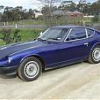
It's a '73 aussie model, so there is no marker lights or hazard switch.

The car has been off the road for over ten years and was in a pretty sad state interior wise.

I'll start at the fuse box first and clean it up, other than that I'm guessing there must be a wire after the fuse causing a strong ground.

cheers

  • 4 weeks later...
  • Author

Turned out to be the internal reg alternater I run on the 2.8efi, changed over to an old alt with an external reg, not burning fuses now but the amp gauge still reading in the +ve

Create an account or sign in to comment

Remove Ads

Important Information

By using this site, you agree to our Privacy Policy and Guidelines. We have placed cookies on your device to help make this website better. You can adjust your cookie settings, otherwise we'll assume you're okay to continue.

Account

Navigation

Search

Search

Configure browser push notifications

Chrome (Android)
  1. Tap the lock icon next to the address bar.
  2. Tap Permissions → Notifications.
  3. Adjust your preference.
Chrome (Desktop)
  1. Click the padlock icon in the address bar.
  2. Select Site settings.
  3. Find Notifications and adjust your preference.