Skip to content
Be cautious of scammers! If you are asked to send Zelle, Paypal, or even gift cards it is likely a scam. Be smart and talk on the phone and trade real photos. Check every profile and never do business with a member who joined less than 6 months ago.

confused??

Featured Replies

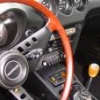
yellow 73 zed for sale on ebay, but the pics show a car with 70 hatch and 70 steering wheel. thought it was a typo but they also show the ownership that says 73. what gives???? ( sorry, don't know how to hyper link, maybe someone could do it for me. thanks)

Simplest way to link is to "copy" from the webpage address you want to link, and "Paste" it into your post.

If this is the one you are referring to, it's a 71 not a 73. Just look at the VIN number, probably a 12/70 production date if I'm not mistaken.

http://cgi.ebay.com/ebaymotors/ws/eBayISAPI.dll?ViewItem&rd=1&item=2487690891&category=6187

the registration DOES show the car as being a 1971 and the VIN is circa 1971: HLS30 17965.... my final answer is 1971... and a NICE one at that!

  • Author

do all 71 have the cut out steering wheel? also same ? about the hatch vents

do all 71 have the cut out steering wheel? also same ? about the hatch vents

Keep in mind that there was plenty of overlap between so-called model years. My very early '72 has plastic headlight buckets and vertical defroster lines and was actually made before some late '71 models. I wouldn't let the steering wheel and hatch vents influence you're take on the car. Most '71 models did not have those features but there's a good chance that an early '71 would.

Create an account or sign in to comment

Remove Ads

Important Information

By using this site, you agree to our Privacy Policy and Guidelines. We have placed cookies on your device to help make this website better. You can adjust your cookie settings, otherwise we'll assume you're okay to continue.

Account

Navigation

Search

Search

Configure browser push notifications

Chrome (Android)
  1. Tap the lock icon next to the address bar.
  2. Tap Permissions → Notifications.
  3. Adjust your preference.
Chrome (Desktop)
  1. Click the padlock icon in the address bar.
  2. Select Site settings.
  3. Find Notifications and adjust your preference.