Skip to content

VWer picking up a 240z w/ frozen brakes... HELP

Featured Replies

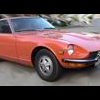
Hey, I work on lots of VWs and brakes are a snap. I'm getting a 240z for free (1973) and I was wondering how easy brakes are... are the rears drums? The car has been sitting for a few years in Oakland, CA and the rotors are rusted-frozen...

What's it gonna take to replace the rotors / drums. I have a lot of exp working on VWs (clutch jobs, brakes, susp, exhaust work etc... and am an engineer...)

Thanks!

The brakes are a snap on zeds.

Use the search forum and you will find much information from other members.

Don't forget to post if you strike a problem that hasn't been written about.

The breaks on a 240 are not much differant than

a VW rabbit. To remove the rear drums that are

frozen/corroded on you may need some heat & a

hammer. Heat evenly around the drum face then

tap lightly and repeatedly all around the drum face

where you just heated. Should come off - mine did

that way. Congrats on the Z - Welcome to the club,

good times for all!

-Jeff

What is this?

Do free Zs grow on trees in America???

It's not fair!!!

Just kidding congrats on your find. You'll soon forget about VWs once youve played with a Z long enough ROFL

  • Author

Thanks for the great commentary... Did I mention it's from the orig owner??? Sorry... I look forward to forgetting about VWs then!

Mark.

This might help there is product called PB Blaster , it is a great rust penitrater , apply it to the end of the axel on the drum,and let it soak. Then tap with a hammer an wooden block on the FRONT of the drum or out side , just tap all around and try to dislodge the drum , then do the same from the rear , or back side, being careful not to damage the fins . Be patience and it will rock loose.

Create an account or sign in to comment

Remove Ads

Important Information

By using this site, you agree to our Privacy Policy and Guidelines. We have placed cookies on your device to help make this website better. You can adjust your cookie settings, otherwise we'll assume you're okay to continue.

Account

Navigation

Search

Search

Configure browser push notifications

Chrome (Android)
  1. Tap the lock icon next to the address bar.
  2. Tap Permissions → Notifications.
  3. Adjust your preference.
Chrome (Desktop)
  1. Click the padlock icon in the address bar.
  2. Select Site settings.
  3. Find Notifications and adjust your preference.