Skip to content

Question about KA24 pistons in L28

Featured Replies

Hi all

Based on this chart:

http://www.zhome.com/ZCMnL/tech/128combo.html

I've decided on going the 2949cc route by way of L28 block + L24 rods + KA24 pistons in STD 89mm width

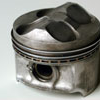
That chart lists part number 12010-40f10 for the std diameter 89mm unit and lists a zero cc dish volume. I assume that means these are flat top pistons.

However when I look up this p/n I invariably find images of the dished Ka24de turbo piston

And then when doing a similar p/n search on nismoparts.com I came across an advertised Ka24 flat top piston but with a slightly different part number: 12010-40f72

Can someone confirm which is the right p/n before I place a non-returnable special parts order at the dealership please?

Thx

-e

zero cc dish volume should be flat tops, can you do a cross reference part search and check the nissan truck that came with the ka24 flattops stock?

  • Author

D21 Trucks and S13 240SX with Ka24 engines use the flat top piston with p/n 12010-40f72

Does that settle it then?

I dug this up from rockauto, these are the pistons you need.

BECK/ARNLEY Part # 0125195

SEALED POWER Part # H832CP

DNJ ENGINE COMPONENTS Part # P616

30$ each, beck arnley comes with rings.

  • 1 month later...
  • Author

BTW all I just heard back from Nissan

Both pistons 12010-40F72 and 12010-40F10 are now NLA from Nissan/Nismo...

F72 is the high perf flat top piston listed in the S13 section of the Nismo catalog

F10 is the piston listed for use in the 2949cc L24rod/L28crank combination here http://www.zhome.com/ZCMnL/tech/128combo.html

So aftermarket as listed above is the only way to go... bummer...

Create an account or sign in to comment

Remove Ads

Important Information

By using this site, you agree to our Privacy Policy and Guidelines. We have placed cookies on your device to help make this website better. You can adjust your cookie settings, otherwise we'll assume you're okay to continue.

Account

Navigation

Search

Search

Configure browser push notifications

Chrome (Android)
  1. Tap the lock icon next to the address bar.
  2. Tap Permissions → Notifications.
  3. Adjust your preference.
Chrome (Desktop)
  1. Click the padlock icon in the address bar.
  2. Select Site settings.
  3. Find Notifications and adjust your preference.