Skip to content

81 280zx

Featured Replies

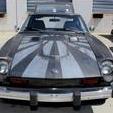
Here's a few pics of the 81', it's my baby so to speak...let me know what you think.

IMGP0271-1.jpg

IMGP0310-1.jpg

IMG_9199.jpg

IMG_8913.jpg

Basically she's a 1981 base model with manual rack, no power windows or rear wiper, no cruise control.

Here's the parts list:

Engine:

Triple SK carbs 40mm

Centerforce Dual Friction clutch and alumminum flywheel

Crane XR300 ignition with MSD Mustang coil

2 1/2" custom exhaust with Flowmaster

Electric fan

All a/c components removed

Wheels:

Enkei 92 16x8

Riken Raptor 225/50zr16

Brakes:(not installed yet)

Drilled rotors for all four corners

pads to be determined at installation..any suggestions???

Suspension:

Tokico lowering springs

New struts

Rear strut tower bar

Interior:

Stock with aftermarket shift knob

Body:

Installed 82 front and rear bumpers

82 taillights

Modified Lincoln MKZ badges

Semi-gloss black paint on hood, cowl, and roof

That's about it....for now:D

Edited by Edz280zx

That looks really clean. I like the matte black look on the 2-tone. Nice ZX.

  • 1 year later...

That is a rare ZX indeed. Most were sold with every option box checked (because that's how Nissan shipped 'em).

It looks great in all of its 80's glory.

having no cruise or fuel injection really makes the engine compartment clean! You are running an air filter I hope?

Nice ride!

Guys, the OP, Ed, hasn't been here in almost a year. The only reason this thread came back is beacuse a spambot, elijah (post #4) brought it back.

Of course, now that elijah and his post are gone there's a big hole in this thread's continuity.......

  • 2 months later...
Love these wheels. Let me know when you sell em!
See post #6........

Create an account or sign in to comment

Remove Ads

Important Information

By using this site, you agree to our Privacy Policy and Guidelines. We have placed cookies on your device to help make this website better. You can adjust your cookie settings, otherwise we'll assume you're okay to continue.

Account

Navigation

Search

Search

Configure browser push notifications

Chrome (Android)
  1. Tap the lock icon next to the address bar.
  2. Tap Permissions → Notifications.
  3. Adjust your preference.
Chrome (Desktop)
  1. Click the padlock icon in the address bar.
  2. Select Site settings.
  3. Find Notifications and adjust your preference.