Skip to content

smoke

Featured Replies

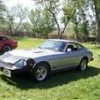
Question reagarding a 78 280Z. When I really floor it upon acceleartion from a dead stop I have seen white smoke in the wake of my Z hauling arse. It's kind of rude but funny in a way as I have witnessed the guy behind me lost in a cloud of smoke.

The engine has a rebiult head, but has 295K on the motor.. It runs fine, but I am concerned about the smokescreen issue. Help!

I got the same thing going on with mine, but its black smoke. Same kinda deal, its fine unless I floor it. If you watch the videos of my at the drag strip you can see it. I think white would mean water in your burnt exhaust.

  • Author

Hmm. Does that mean I have a water leak? From where? How? I had the head gasket replaced about 3 years ago.

Why do you think it is only when I floor it?

I got the same thing going on with mine, but its black smoke. Same kinda deal, its fine unless I floor it. If you watch the videos of my at the drag strip you can see it. I think white would mean water in your burnt exhaust.

FWIW, it's been my experience that the following holds true:

Black smoke = excess fuel/flooding

White smoke = oil burning form worn rings or leaky valve stem seals

White smoke that dissipates quickly = water in exhaust system/blown head gasket

When you floor it, strain and pressure on the engine will cause the smoke to show.

Hope this helps.

White smoke = oil burning form worn rings or leaky valve stem seals

I've always considered burning oil to cause blue smoke.

Mike,

That's right, when you're behind the car, it looks blue. However, if you're driving, in your rearview, it looks white. Andy has 295K on this car. Same amount of miles on the engine since rebuild? Also, one should look in the radiator and see if there is oil in the antifreeze and pull the dip stick to see if the oil is milky colored meaning water in the crankcase. In that case you're talking a cracked head or cyclinder/water jacket.

Create an account or sign in to comment

Remove Ads

Important Information

By using this site, you agree to our Privacy Policy and Guidelines. We have placed cookies on your device to help make this website better. You can adjust your cookie settings, otherwise we'll assume you're okay to continue.

Account

Navigation

Search

Search

Configure browser push notifications

Chrome (Android)
  1. Tap the lock icon next to the address bar.
  2. Tap Permissions → Notifications.
  3. Adjust your preference.
Chrome (Desktop)
  1. Click the padlock icon in the address bar.
  2. Select Site settings.
  3. Find Notifications and adjust your preference.