Not so new - Introductions - Classic Z Car Club Skip to content

Not so new

Featured Replies

I'm not so new here. Posted a few, but I really don't remember introducing myself. I also put up an avatar and signature, so I figure I'd test it out here.

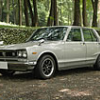
My car - the avatar - 1971 Nissan Skyline "Hakosuka"

Why here? Lots of tech that is useful for old L-series engines.

Welcome to the club,

We would love to see more pictures of your car is you have any :)

...and welcome. It's good to see another early Skyline join the forum. Even though it is an early Z car site, us Skyline owners have been made to feel nothing but welcome, and you are right...a great place for Nissan L series information. There is a lot of experience here. When it comes to Prince and Skyline, early Nissan performance cars and motorsport, this seems to be the place! :classic:

I'm with Alfadog, I'd love to see and hear more about your "Hakosuka" :ninja:

Just for the heck of it I'll start with a pic of mine :love:

Definitely be talking with you later!

Jim.

post-6441-14150795699123_thumb.jpg

I second Jim's thoughts about Skylines. I absolutely love them all and welcome the pictures and discussions about them on this site. I'd give up my Z for a Skyline in a second. Beautiful cars you guys! Keep the pics coming.

Chris

S
Sponsored
Advertisement
Go Ad-Free
No ad showing? Ads help support ClassicZcars. If you use an ad blocker, please consider allowing ads on this site or Go Ad-Free.

Definitely post some more pic of the skyline! Love em! :D

Hey Chris Ill trade ya my skyline for your z!

Real cars, Bill. Models don't count! :laugh:

ill trade both my Z's my dirtbikes and my snowmobile for jims skyline =P

  • Author

If you're really interested in these cars, I may be able to hook you up with someone to get one shipped to you. He just shipped one to the US. Unfortunately, his English language skills are about ZERO. PM me and I can give you his web site. It's a great place to just look . . . . .

Create an account or sign in to comment

Account

Navigation

Search

Search

Configure browser push notifications

Chrome (Android)
  1. Tap the lock icon next to the address bar.
  2. Tap Permissions → Notifications.
  3. Adjust your preference.
Chrome (Desktop)
  1. Click the padlock icon in the address bar.
  2. Select Site settings.
  3. Find Notifications and adjust your preference.