24OZ
Community Member
-
Joined
-
Last visited
Everything posted by 24OZ
-
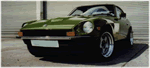
Hi all, Great site. After some time drooling on Z Car forums I have finally become a "Real" member of this community as I have recently purchased a 240Z. My baby has a late 280ZX with FI. I was wondering on any easy, cheap mods that can be done to increase HP. Any information will be most grateful as i am still a novice. Look forward to hearing your ideas and thanks in advance for your time in replying.
-
Wow, congrats on buying another 240. She looks in great shape. What make are the carbs you have there?? My baby has no carbs she has the 280zx FI engine. I'll put her some trible webbers soon. Regards, George.
-
Hi guys, Please to meet you both as I am new here. Trevor - as frenchy13 said, zhome is the best start for you, loads of information which should keep you busy. I ended up going to Amazon and buying a couple of books first which really helped alot. Here is a quick time line: 1970-73 240Z 1974-75 260Z (75-280Z) 1976-78 280Z (78-280ZX) 1979-83) 280ZX The 280ZX is more refined and luxurious. The fastest Z is the 1970 240Z, newer emissions and safety legislation meant the performance started to decrease in later models due to bigger heavier bumpers as well as emmissions equipment (not including the 280ZX Turbo v.fast). As the names suggest 240Z is a 2.4l engine and so on for the other models. Good luck in choosing. George 73 240Z with 280ZX engine
-
until
On the night of November 5th, throughout Britain, bonfires are set alight, effigies are burned, and fireworks are set off. The people do this to commemorate their country's most notorious traitor: Guy Fawkes