


280Zone
Community Member
-
Joined
-
Last visited
Everything posted by 280Zone
-
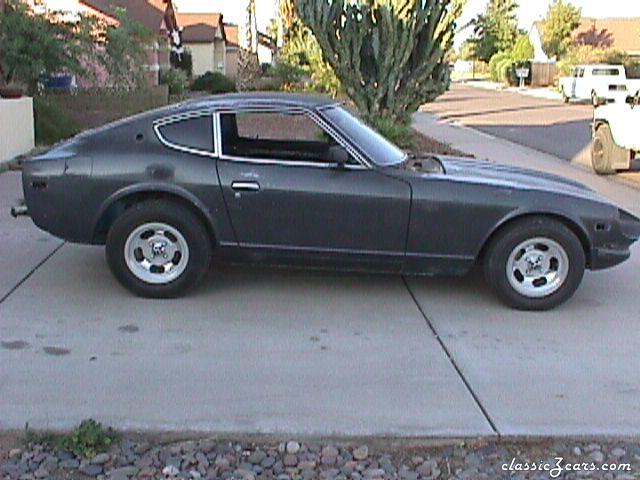 Engine & suspension done, now needing paint
 -
-
Anything can be made to fit just about anything given enough time, money and determination but, it would be much easier to buy a set of new ones or have your recovered rather than going to the trouble of making the later models fit. That's my $.02
-
a frequent poster on Zcar.com, I just can't remember exactly was his screen name is though.
-
What is wrong with that car? It is an "in progress" picture of installing skyline tail lights. Not my cup of tea but it does look nice when he got done. Or did you mean the wheel and tire setup? Those are just some wheels that were placed there to get a feel for how they would look. They look better on the car than sitting next to it.
-
Here you go. http://www.240z.org/forums/showthread.php?threadid=4807
-
Of stock antennas, used and I can probably round up a rocker switch to go with it. Feel free to email me directly. 280Zone@cox.net
-
Just put the stock antenna back in? I have a Motorsports non electric still in the package and a couple of stock electric ones if you need one.
-
I guess it all depends opon your perspective, The Velo Rossa conversions still have the "soul" of the Z they just have the look of the Ferrari. So do you buy a car to look at or to drive it? I will build mine to drive and let everyone else look at it along with the driver inside that saved himself 11.9 million dollars.
-
I found that the oners around here are using a PPG DP90 sealer primer. I talked to the guy at the paint store and he sad that the PPG DP90 was a good top end primer and has excelent sealing qualities.
-
I am at Elliot Rd and Dobson Rd. If it was a really good deal i wouldn't have posted it, I would have bought it : )
-
Don't hesitate to look us up. www.DesertZAssociation.com