Skip to content

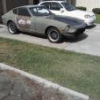
71' Refresher project starts

Featured Replies

  • Author

Thanks,

Patience is definitely a virtue.

The grit/dirt build up is unbelievable. I'm sure Hardway can attest to this.

I still have the rear susp to do, but shouldnt be as involved as the front.

E-Tek your restos look great.

  • 3 weeks later...
  • 2 weeks later...
  • Author

The 'refresh' is quickly becoming a restore!

Pulled fenders off in order to get the front end done right.

Dirt goes everywhere when cleaning out these areas. But will be 10lbs lighter when all put back together. :cool:

post-22306-1415082410805_thumb.jpg

post-22306-1415082410874_thumb.jpg

Looking good, feels good when you start painting and you can see the results of all that cleaning, sanding etc.

  • Author

Thanks Eurodat, Painting is a good feeling.

Bought another 280Z donor car. Will be using its brakes, motor and diff.

post-22306-14150824225824_thumb.jpg

post-22306-14150824226349_thumb.jpg

Thanks Eurodat, Painting is a good feeling.

Bought another 280Z donor car. Will be using its brakes, motor and diff.

Looks like the donor has already had a brake upgrade with the Toyota calipers up front. Does it still have the rear drums or is there a discs upgrade for the rear? Just interested in what combination the PO used.

Looking at the photo of the donor frame rail. It doesnt look to bad rust wise, but thats going by one photo.

Nice find, turbo engine with a 71C tranny:D

Chas

Edited by EuroDat

  • Author

Hey Rich,

Yes Tokicos all round, hoping to swap out the front struts.

Made an effort to clean up the gearbox after work. Much cleaner. :cool:

post-22306-14150824259208_thumb.jpg

  • Author

Haha, yes I got very lucky with this one. I pulled out the LSD the other day.

post-22306-14150824306397_thumb.jpg

Create an account or sign in to comment

Remove Ads

Important Information

By using this site, you agree to our Privacy Policy and Guidelines. We have placed cookies on your device to help make this website better. You can adjust your cookie settings, otherwise we'll assume you're okay to continue.

Account

Navigation

Search

Search

Configure browser push notifications

Chrome (Android)
  1. Tap the lock icon next to the address bar.
  2. Tap Permissions → Notifications.
  3. Adjust your preference.
Chrome (Desktop)
  1. Click the padlock icon in the address bar.
  2. Select Site settings.
  3. Find Notifications and adjust your preference.