Skip to content

Terry's Project 240K

Featured Replies

  • Author

Yeah their like the ones I bought. What's the difference between red and blue

You can get black ones too. I think it was for different models.

My c210 badges are f****d but the GT badges are actually Black GL badges

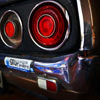
I haven't seen these for sale so ill use red GT ones instead

Look at this on eBay:

~ GT CAR BADGE Chrome Emblem *NEW* Datsun C110 ? Nissan ? 240K ? *NEW*

http://bit.ly/10ijrWe

  • Author

yes thats the ones i bought.. and i compared it with the gt badge that was on the car... odd..

BDA7A423-21D5-487A-BA64-2C0A1EC35130-10223-00000797C39D0AD9.jpg

Ahh I see its a fair whack smaller. But when it's on the car with the skyline script would the size difference be that noticeable?

Could always restore the original ones

could be a 210 gt badge or just a crap copy. The G isn't the same as the original where as this one looks the same

????GT???*???????*????*GC110 - Yahoo!?????? - ????!

I vote crap copy....doesn't look to different. Enought to notice

Linked one looks nice

  • 2 months later...
  • Author

The K has been pushed to the side lately because Ive sold my Suzuki and buying a brand new ktm 350exc next week!

But these rolled up from Japan :)

457835A9-A1E7-4A52-A9A3-E14C5E3F34E5-3704-000002C5937084B9.jpg

  • 3 months later...
  • Author

so trying to get motivation to get stuck into the k again. my heater box was removed by the previous owner for whatever reason, so got one out of a wreck out and cleaned it all up and realised one of the clips is broken that controls the circulation. not only that im thinking theres going to be lots missing. what a pain. anyone have spare controls, clips or the likes?

my parts are motivation

broken clip

IMG_2833.jpg

IMG_2830.jpg

IMG_2829.jpg

IMG_2832.jpg

Edited by tez240k

Create an account or sign in to comment

Remove Ads

Important Information

By using this site, you agree to our Privacy Policy and Guidelines. We have placed cookies on your device to help make this website better. You can adjust your cookie settings, otherwise we'll assume you're okay to continue.

Account

Navigation

Search

Search

Configure browser push notifications

Chrome (Android)
  1. Tap the lock icon next to the address bar.
  2. Tap Permissions → Notifications.
  3. Adjust your preference.
Chrome (Desktop)
  1. Click the padlock icon in the address bar.
  2. Select Site settings.
  3. Find Notifications and adjust your preference.