CLASSIC Z CAR CLUB · TECHNICAL ARCHIVE
Z-Car Technical Library
Manuals, wiring diagrams, factory documents, microfiche, technical articles and restoration resources preserved by the Classic Z Car Club community.
Factory Manuals
Original service information
Wiring Diagrams
Electrical diagrams & schematics
Manuals & Guides
Repair, tuning & reference
Microfiche
Factory parts reference archive
→
Looking for something else? Check the category list to your right for more downloads and technical resources.
Paid Downloads
This area is for our paid downloadable files.
1 file
-
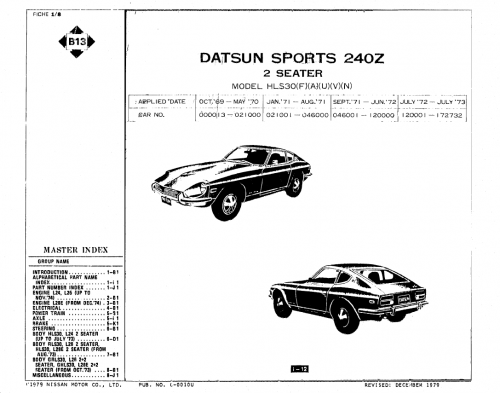
This is a full version of our copyrighted Zcar Microfiche CDROM. These files were originally distributed on a physical CD, but due to updated technology we are now providing it as a download. This download is a fundraiser for our club.
This download is provided exclusively to members and the files are the real-deal. You'll receive access for all 14 files for use on a single computer or mobile device. This document is a fund-raiser for our club.
Note: This is a free download for subscribing members. Details can be found here.
S30 - 240z, 260z, 280z Microfiche CDROM
(c)Copyright - Mike Gholson, Internet 240z Club
Filename Description
--------------------------------------------------------------------
S30_1a Introduction
S30_1b Part Names
S30_1c Part Numbers
S30_2a Engine L24 & L26
S30_3a Engine L28E
S30_4a Electrical
S30_5a Powertrain
S30_5b Axle
S30_5c Brake
S30_6a Steering
S30_6b Body L24
S30_7a Body L26 & L28E
S30_8a Body L26 & L28E 2+2
S30_8b Miscellaneous- cd
- cdrom
- microfiche
- nissan motors
-
Tagged with:
- 15.00 USD
- 78 Purchases
- 2820 Downloads
- 2 Comments
Updated