racerx3110
Community Member
-
Joined
-
Last visited
-
77 280z Combo headlight repair with new spring cap aka nibs. Shawn @The Unobtainium , I received the spring caps today. Installed them this evening, everything fit nicely and worked great! Now I have lights with the switch working perfectly. Thank you to Shawn and the folks at The Unobtainium for creating these. https://www.theunobtainium.net
-
I will be receiving mine by the end of this week, I will be able to report back how they work in the actual switch. The fact they based it on my oem part from my 77 280z combo headlight switch for material and measurements, I'm sure that it will fit & function well.
-
Thank you SteveJ for mentioning them, I had no idea they existed, they were super helpful and quick responding, I am impressed with them. My internet search found your post here! I'm excited to get my switch fixed...on the affordable!
-
Spring caps for the headlight combo switch: "The Unobtanium" now has the spring caps (nibbs) on their website, now we can fix our switches with worn out caps! https://www.theunobtainium.net/product-page/headlight-switch-caps-qty-2
-
I reached out to Shawn R. at "The Unobtanium". The hadn't received an original to make a replacement from. I sent him one from my 77 280z headlight switch. He now has them on their website, now we can fix our switches with worn out caps! Thank you Shawn! https://www.theunobtainium.net/product-page/headlight-switch-caps-qty-2
-
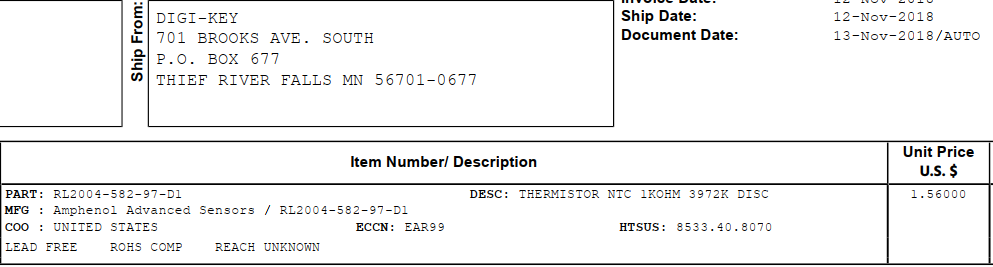
I know this is an old thread, but I thought I would share my info for future searchers. I have a 1977 280z, (77/78 Senders mount on top). This is the Thermistor I used to fix my Fuel light. This at your own risk as the sensor resides in the fuel tank, wrong thermistors can overheat and be dangerous. I'm just sharing what I used. The light has been working for a year now.