1978 280Z Auto to Manual Swap, is the ECM the same? - Open Discussions - Classic Z Car Club Skip to content

1978 280Z Auto to Manual Swap, is the ECM the same?

Featured Replies

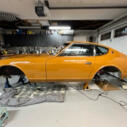
I'm checking out a 78 280z Auto car this weekend. If it checks out, I'd like to manual swap it.

I've done the swap on a 72 240Z, so I know the majority of what's needed: clutch master cylinder, clutch hard line, slave cylinder, flywheel and clutch assembly, brake and clutch pedal, etc.

My one concern: Is there anything unique about the 78 280z Auto car, like in the ECM or any other electronics, that would cause this swap not to work? Or is the ECM in the auto car the same as the manual cars. Also I'll be dealing with it having to pass smog, unfortunately, but I don't think my manual swap plans will affect smog in any way?

Thoughts?

Thanks👍

You will not have an issue from my past experience swapping my 78 280 to manual. The only issue I had was bypassing the neutral safety switch which basically required a jumper wire to bypass the relay. I can tell you that removing the dash will save you a ton of heartache. Did mine with the dash in and later on in my build the dash had to be removed for other reasons. Bottom line carefully remove the dash. Let me know how it goes. You may also may have to trim the forward part of the tunnel. You can figure that out when you get to that step. What a difference in performance you will find right away. Any issues post here.

  • Author

@Yarb appreciate that input. That gives me some confidence going forward.

Don’t have the car yet, so we’ll see if everything else checks out. Rust being my main concern. We’ll see.

Seller has owned it for several years, but it just sat in their garage. Left it on non-op and never smogged it. And they don’t seem to want to even attempt to smog it before selling it. It appears all stock with all smog equipment intact, so I’m considering rolling the dice and just buying it, then hope and pray it passes smog. We’ll see what it looks like in person.

Let me know if you need anything

Create an account or sign in to comment

Account

Navigation

Search

Search

Configure browser push notifications

Chrome (Android)
  1. Tap the lock icon next to the address bar.
  2. Tap Permissions → Notifications.
  3. Adjust your preference.
Chrome (Desktop)
  1. Click the padlock icon in the address bar.
  2. Select Site settings.
  3. Find Notifications and adjust your preference.