Good luck Greg Ira! - Page 4 - Racing - Classic Z Car Club Skip to content

Good luck Greg Ira!

Featured Replies

Corner weighting is definately a good thing but you can go farther on it........

Adding / subtracting / relocating weight to road level is where I`d go. If you have a `Petty bar` over your head as a top diagonal I`d remove it . Bring your center of gravity down........ get rid of or remove anything unnecessary that is above the tranny tunnel top or lower. Think `center of gravity`. When I build my cages I use .060" wall on all non required elements. I`m constantly amazed to see so many over-built cages especially with elements that are chest high or better. :stupid:

keep us posted ! Jeff Winter Rallye/Sport - Winter Racing Engines

Jeff, thanks for filling all that out for me. Yes, all of it is correct too. GT3, no, not without a ton of money and a new welding machine.

Rick, I was successful in my campaign for the 240Z in E Production. You should see a weight reduction in the next fasttrack. Supposedly this is how it's going to break down. Prelude +100lbs, 1st Gen RX7 +50 lbs, Z car -70 lbs. How about that?? The first competitiion adjustment they've ever given the Z with the exception of smaller vented front brakes.

Good luck with your car and feel free to come over any time.

Greg Ira

I didn't see this in the Feb. Fasttrack....
  • 5 weeks later...

Looks like its in the March FastTrack.

  • 4 weeks later...

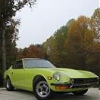
Greg Ira's E Prod 240Z after a fresh paint job. Next race this weekend at Road ATL.

DSC00681.jpg

Pretty zooooomie! But I just have to say that losing all those stickers alone will be worth 2 seconds a lap. :classic:

Good luck at Atlanta! Jeff

S
Sponsored
Advertisement
Go Ad-Free
No ad showing? Ads help support ClassicZcars. If you use an ad blocker, please consider allowing ads on this site or Go Ad-Free.

^ Hopefully I'll get some good shots of the new livery in action this weekend.

Create an account or sign in to comment

Account

Navigation

Search

Search

Configure browser push notifications

Chrome (Android)
  1. Tap the lock icon next to the address bar.
  2. Tap Permissions → Notifications.
  3. Adjust your preference.
Chrome (Desktop)
  1. Click the padlock icon in the address bar.
  2. Select Site settings.
  3. Find Notifications and adjust your preference.