Skip to content

Practical Classics Article

Featured Replies

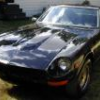
I don't know if anyone has seen the Practical Classics May 2007 Issue. The last thing I did before leaving Italy for home was pick up a copy of this UK magazine at Leonardo DaVinci Airport near Rome. It caught my eye among all the Porche, etc. magazines because it had a photo of a 240Z at the top of the front cover with a "Datsun 240Z Buyers Guide" advertised as being inside. Well, I bought it and read about all sorts of interesting restoration projects with several Brit cars I've never heard of. I was saving the 240Z story for last as it was a 10+ hour flight back to the States. Guess what - the start of the 240Z article is missing. So it starts somewhere in the middle. It's supposed to start on page 110, but there are only ads there. The article starts with the last paragraph of what I assume is part of a where to look for rust guide. I've looked throughout the magazine to see if it starts somehwhere else. If anyone else has or saw this (perhaps in the UK) is your copy the same? It's kind of an interesting magazine - great place for restoration tips of all sorts. There's a welding article and pages where readers can send in info about their rides. I paid 8.80 Euros (3.90 Euro cover price if I had bought it in UK).

Hi

I think all the magazines were the same and misprinted.

I say this because they reprinted the article in the June 2007 issue, complete with the missing page.

The good news is they put the missing bits on-line for those who missed it.

http://www.am-online.com/_downloads/Buying_guide_cover.pdf

http://www.am-online.com/_downloads/Datsun_buying_guide.pdf

In the 2nd link, notice they have zhome.com, zcar.com, but no classiczcars... :hurt:

The blue paint/interior on the featured car looks fantastic.

Great 1st post AD240Z!

Welcome.

Thanks very much- hope it saved Go240zags another trip to Italy to buy the June issue.

  • Author

Yes, thanks. It was kind of disappointing as I couldn't just get off and get another. Still, I enjoyed the magazine very much. Thanks again Ad240Z

Create an account or sign in to comment

Remove Ads

Important Information

By using this site, you agree to our Privacy Policy and Guidelines. We have placed cookies on your device to help make this website better. You can adjust your cookie settings, otherwise we'll assume you're okay to continue.

Account

Navigation

Search

Search

Configure browser push notifications

Chrome (Android)
  1. Tap the lock icon next to the address bar.
  2. Tap Permissions → Notifications.
  3. Adjust your preference.
Chrome (Desktop)
  1. Click the padlock icon in the address bar.
  2. Select Site settings.
  3. Find Notifications and adjust your preference.