Skip to content

78z with 82z drive train

Featured Replies

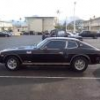
i have a 1978 280z with a 1982 drive train. when i put starting fluid in it,it will run off that. but i can't get the fuel injection to work at all. do i have to have a 82 ecu and harness to get it to work?? because i already have it and the 82 harness is totally different than the 78 as in hooking things up. which wires would i have to splice to get it to work, or is there some how i could still use my 78 harness and ecu??? please help

Assuming all of your pieces are good, using the 82 engine with the electronics and harness from the '78 should be almost plug and play-don't splice anything, but use the 78 afm.

I have an 82 turbo engine running on 77 electronics and harness-other than the idle control, making it work was not hard, but it was tedious and daunting.

Get the engine wiring diagrams for both years, and address the differences.

Will

I've done that swap. Your 82 L28 is nearly identical to the 78 L 28. Wire the 82 as though it were a 78 and it should work fine. If it will run on starting fluid then it sounds like a fuel starvation problem. Start checking fuel related items. Fuel pump, pressure regulator, filter, etc.

  • Author

i have trouble shot everything up to the fuel injection. and i have a brain fart but what is a AFM????

Make sure your fuel pump is working....i had this problem replaced the pump (not a hard job) and presto!!

The pump is located in front of the gas tank behind the passenger rear wheel. Its quite easy to get to with the rear on ramps.

  • Author

i know the fuel pump works because i had hot wired it and fuel was pumping to the rail.

  • Author

does anybody have a way to get a good wiring digram for the fuel injection

Create an account or sign in to comment

Remove Ads

Important Information

By using this site, you agree to our Privacy Policy and Guidelines. We have placed cookies on your device to help make this website better. You can adjust your cookie settings, otherwise we'll assume you're okay to continue.

Account

Navigation

Search

Search

Configure browser push notifications

Chrome (Android)
  1. Tap the lock icon next to the address bar.
  2. Tap Permissions → Notifications.
  3. Adjust your preference.
Chrome (Desktop)
  1. Click the padlock icon in the address bar.
  2. Select Site settings.
  3. Find Notifications and adjust your preference.