280 will not start! - Help Me !! - Classic Z Car Club Skip to content

280 will not start!

Featured Replies

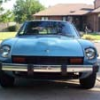
Please help me! This is the only car i got. We had a very bad ice storm last night and i had to park outside since my sister's car was in the garage. It started this morning, but now it will not even turn over. I have attempeted jumping it, roll starting and dropping the clutch, and checking connections. Is there anything that usually causes these cars not to start in cold weather? anything i can check? This car is EFI.

  • Author

Set of new spark plugs fixed the problem. Odd since they were only 3 months old.

Set of new spark plugs fixed the problem. Odd since they were only 3 months old.

when you say '' it wont even turn over '' that means , the engine will not revolve when you try to start the car. I think you ment it wont even start. This is completely different. I am only commenting on this beause you are new. By the way welcome. Gary

Interesting

  • Author
when you say '' it wont even turn over '' that means , the engine will not revolve when you try to start the car. I think you ment it wont even start. This is completely different. I am only commenting on this beause you are new. By the way welcome. Gary

actually, it wouldn't turn over. I guess i didn't mention the battery was dead, but that was an easy fix and i got that taken care of after i mand the first post. Sorry bout that if it was confusing.

S
Sponsored
Advertisement
Go Ad-Free
No ad showing? Ads help support ClassicZcars. If you use an ad blocker, please consider allowing ads on this site or Go Ad-Free.

280z In The Shopping Cart Return????

  • Author
280z In The Shopping Cart Return????

Yup, around here anyway, my Z is thin enough to fit in the cart returns. I'll get a pic. It's funny to see people walk by and give odd looks to se a car parked in the cart return. Plus, guaranteed no door dings! :classic:

Create an account or sign in to comment

Account

Navigation

Search

Search

Configure browser push notifications

Chrome (Android)
  1. Tap the lock icon next to the address bar.
  2. Tap Permissions → Notifications.
  3. Adjust your preference.
Chrome (Desktop)
  1. Click the padlock icon in the address bar.
  2. Select Site settings.
  3. Find Notifications and adjust your preference.